Ilgirok: The Reading Tracker That Grows a Bookshop of Your Own
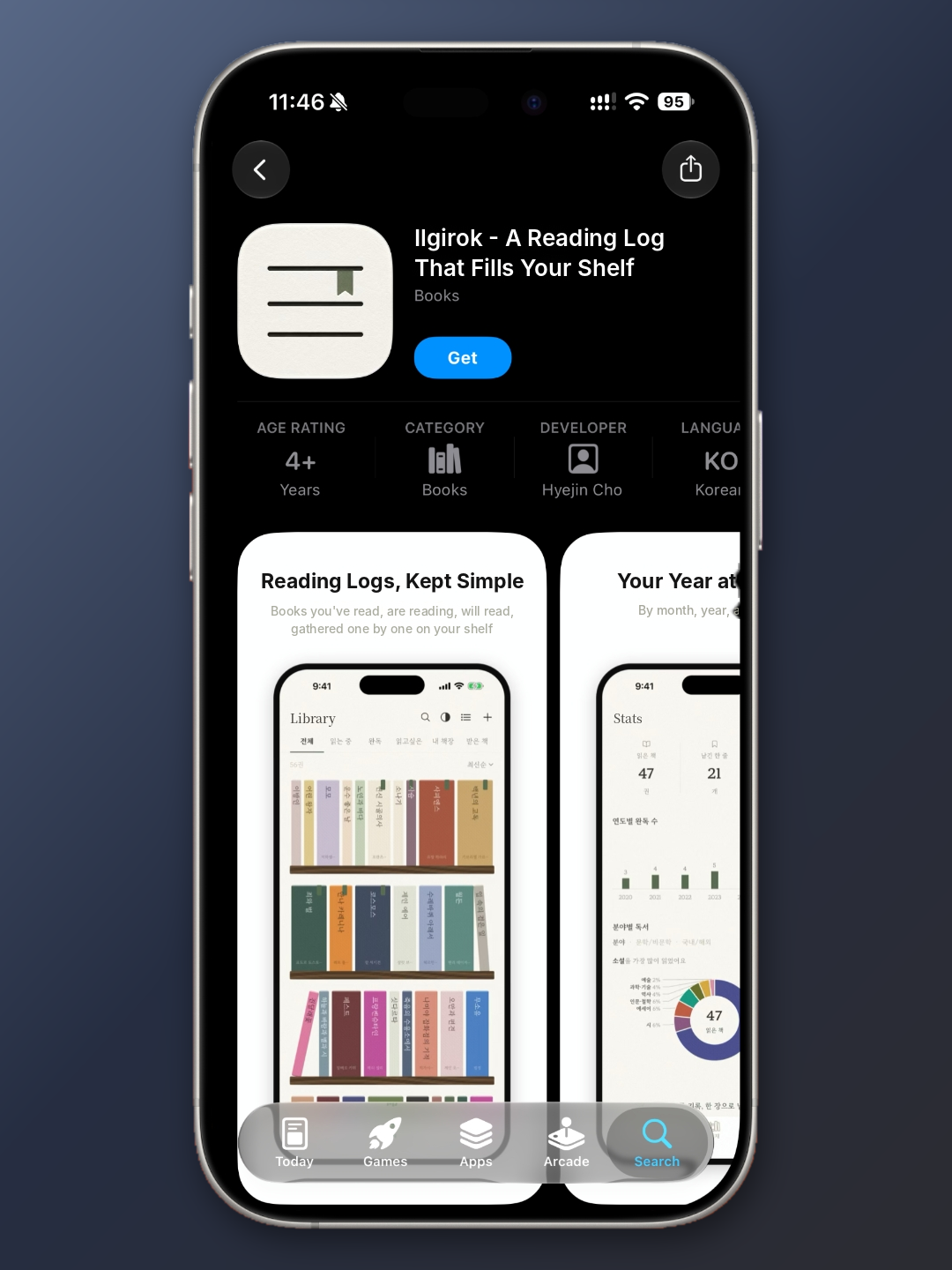
The app I’m featuring on desk.log this month is Ilgirok, a Korean reading tracker whose name loosely translates to “reading record.” Ilgirok is an iPhone app listed in the App Store’s Books category. You log the books you read by shelving them on a virtual bookcase, and as your finished titles pile up, a small bookshop of your own gradually takes shape. Last month’s pick, Check-InOut, made reading more fun through its BookBTI personality types and tailored recommendations. Ilgirok takes a different route: it borrows the quiet pleasure of a cozy game, where every book you finish helps furnish a room. It isn’t a feature-heavy app. What it offers instead is a warm, carefully designed interface, charming characters, and a logging process so light that you actually want to open it every day. One note before we begin: Ilgirok is available in Korean only, with no English interface. The menu names and labels quoted throughout this column are my own translations.
Every Finished Book Helps Your Bookshop Grow
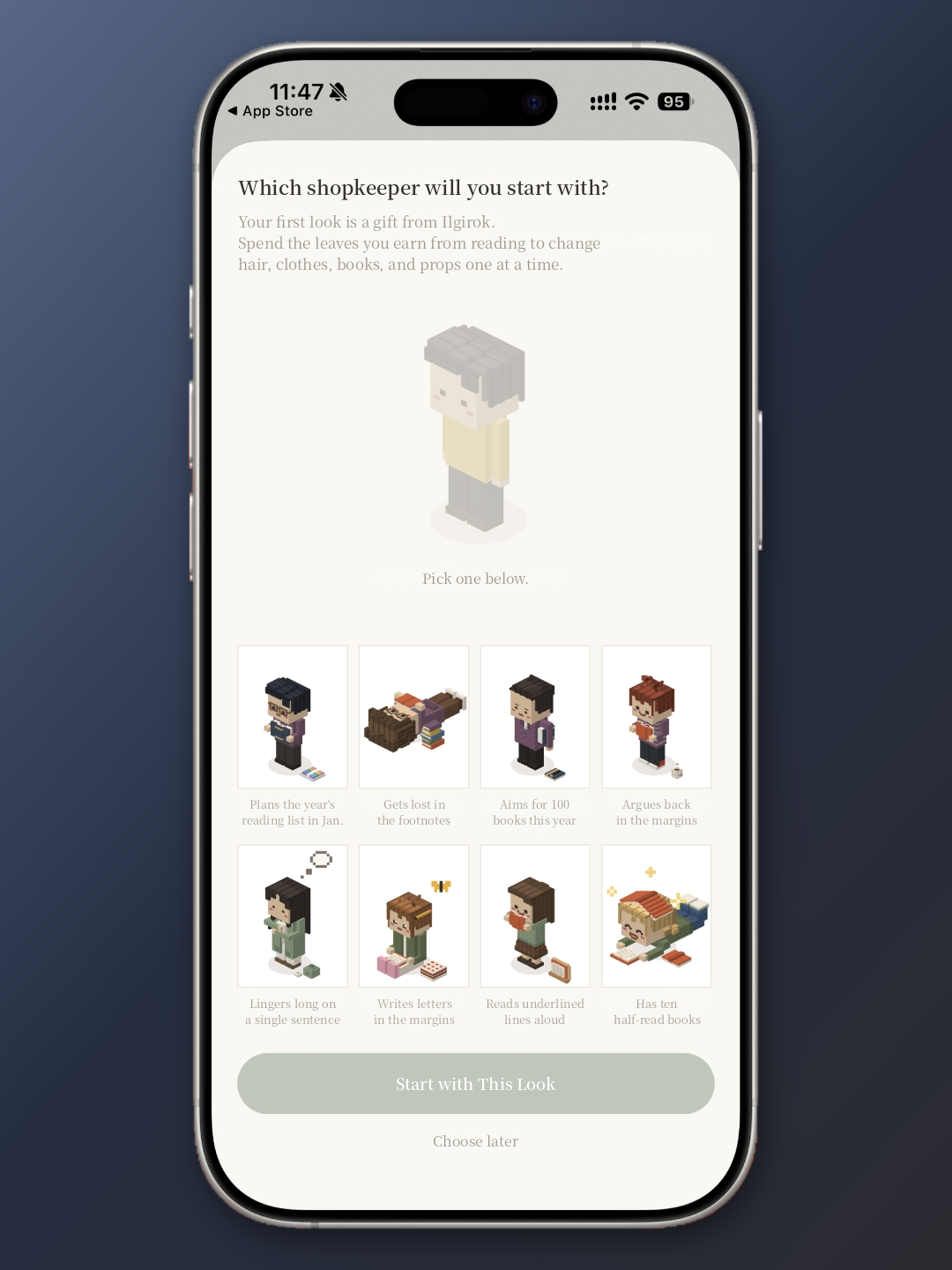
The first time you open Ilgirok, it asks you to choose a shopkeeper. Your shopkeeper is a little voxel character who stands in for you inside the app. Each one comes with a label any reader will recognize with a knowing smile: “The one who plans the year’s reading list in January,” “The one who gets lost in the footnotes,” “The one with ten half-read books,” “The one who reads the whole thing standing in the bookstore.” Simply picking a character becomes a small moment of honest self-assessment about your reading habits.
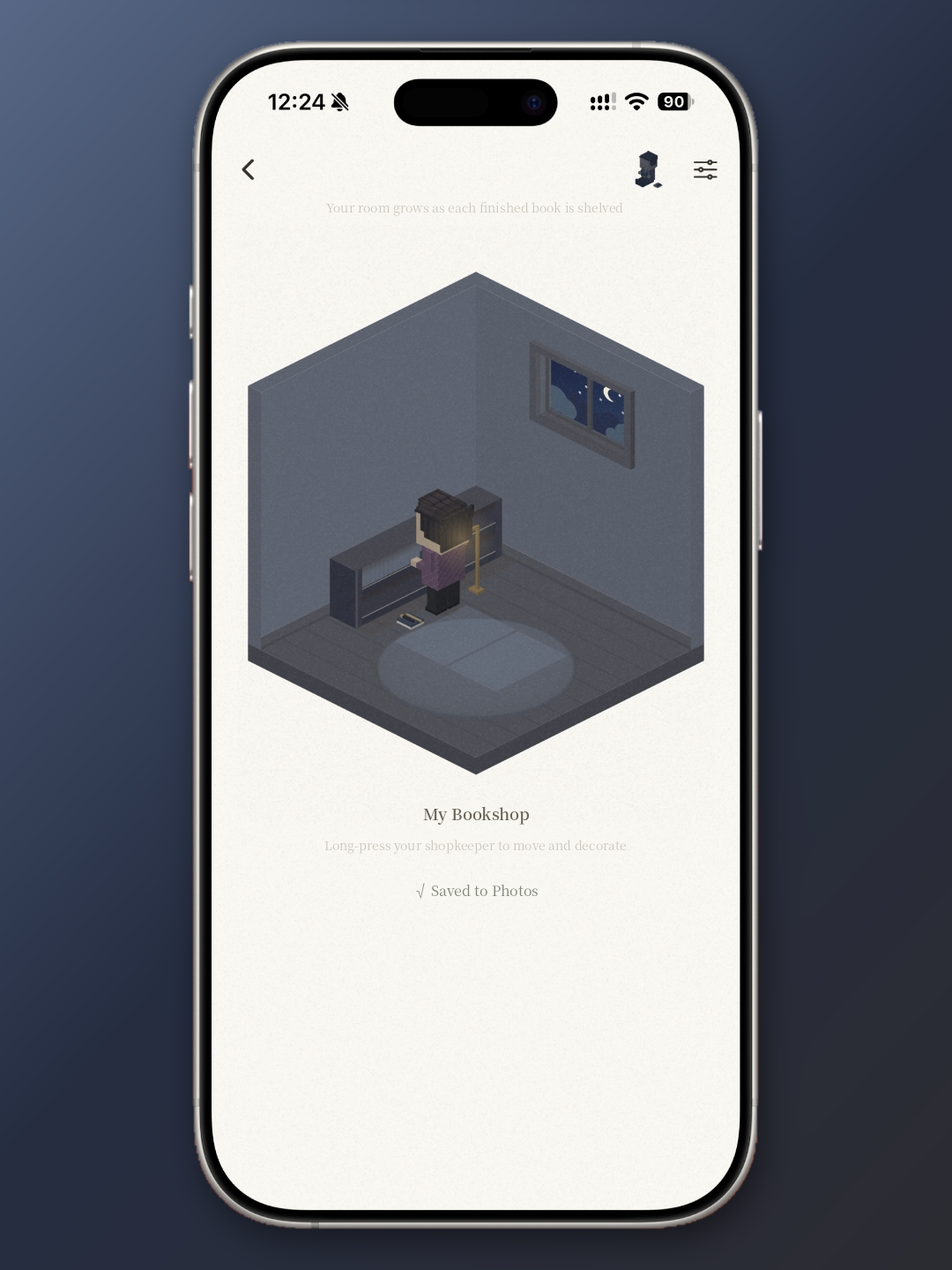
Your shopkeeper lives in a space called My Bookshop. Each time you finish a book, it gets shelved, and the room grows a little. Reading also earns you leaves, which you can spend to change your shopkeeper’s hair, clothes, books, and accessories one item at a time. Because finishing a book is the reward mechanism, there’s a genuine little thrill in checking what’s changed in the room after you close the last page. My own bookshop is still a quiet room with a single bookcase and a reading lamp. Honestly, that’s part of the appeal. I’m curious to see how it fills in.
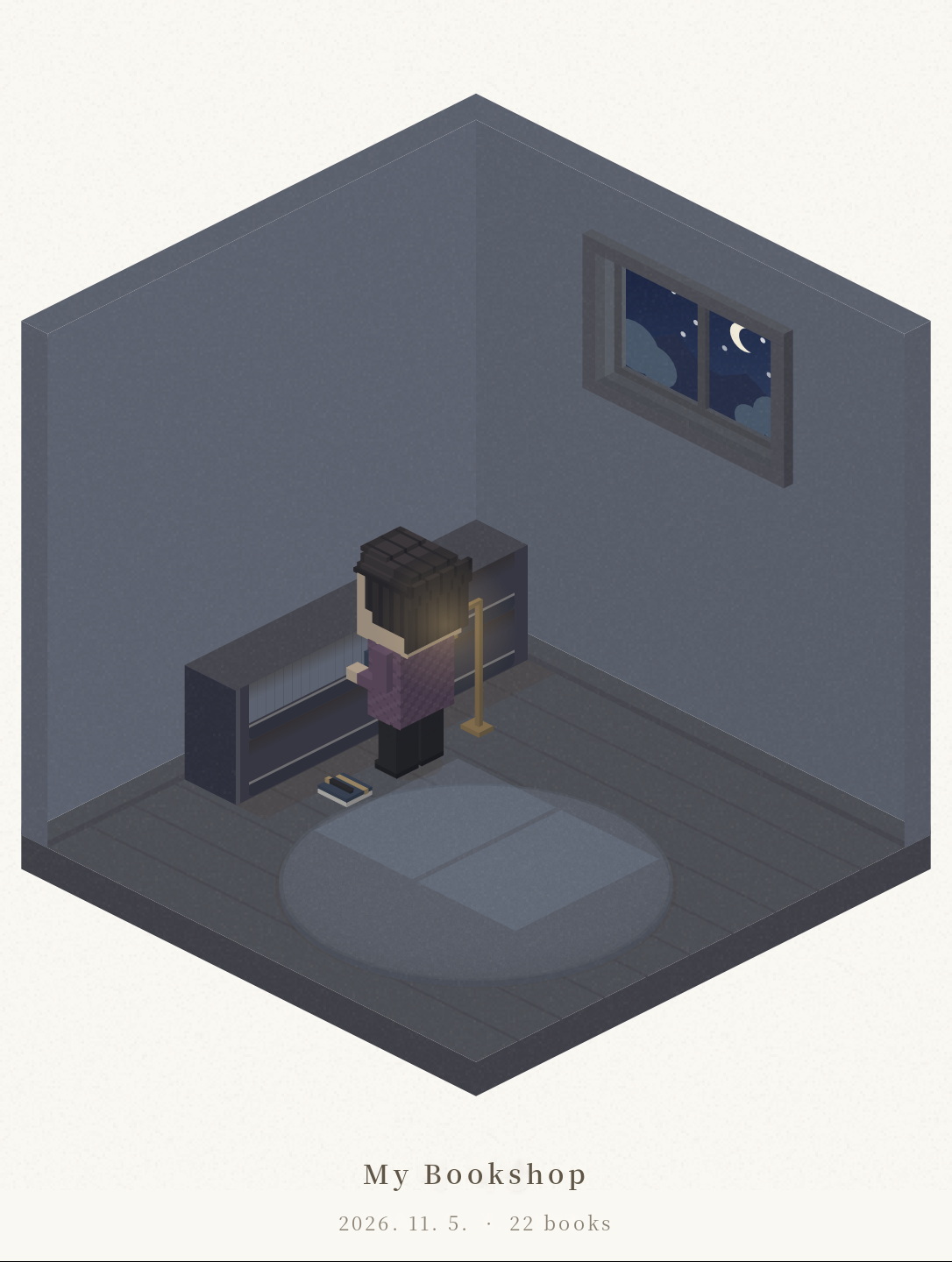
You can also save My Bookshop as an image stamped with the date and your total number of finished books. A small room with a crescent moon outside the window ends up telling the story of your reading so far, and it does so far more gently than any chart of numbers could.
Adding a Book Takes a Single Search
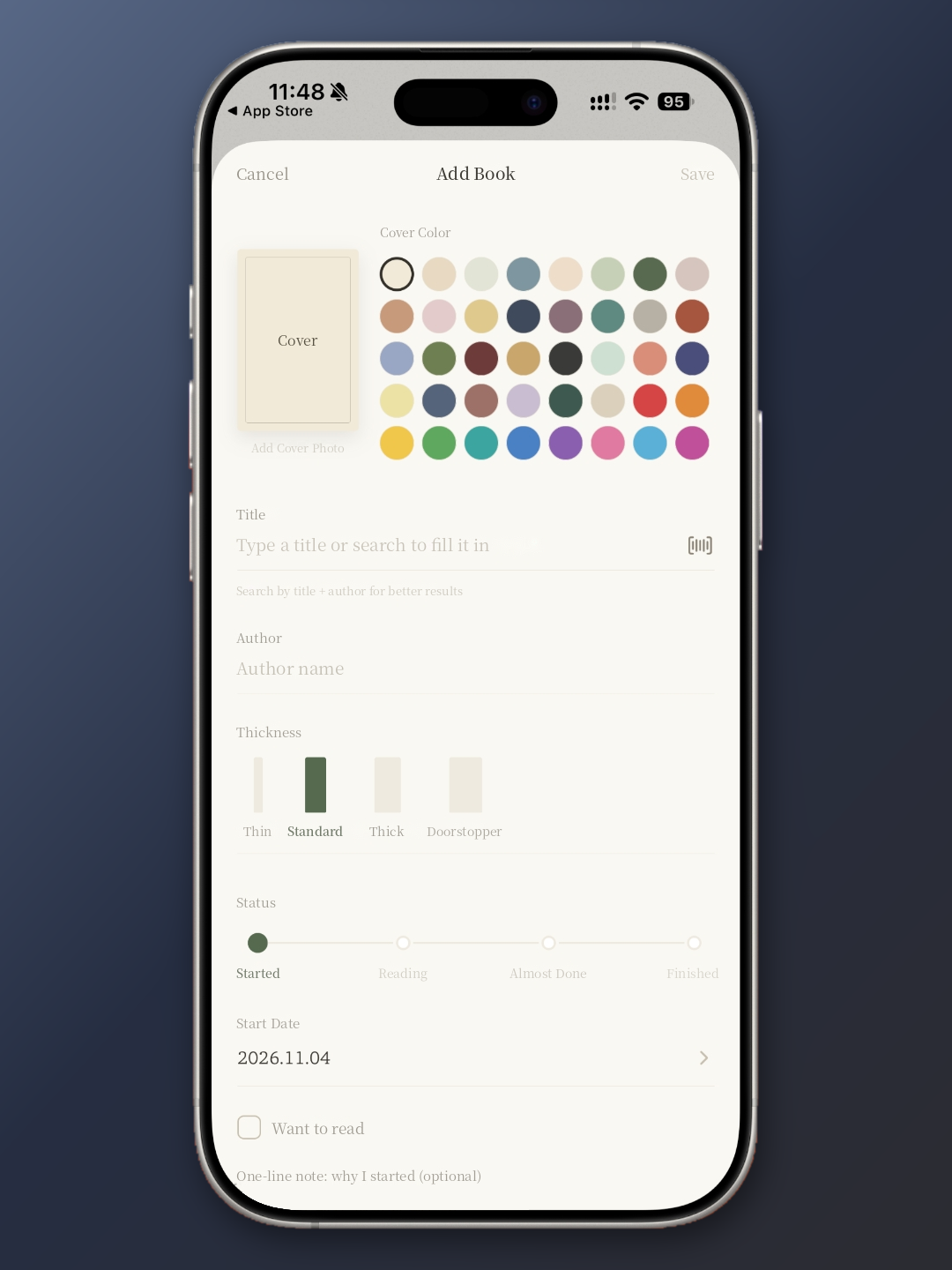
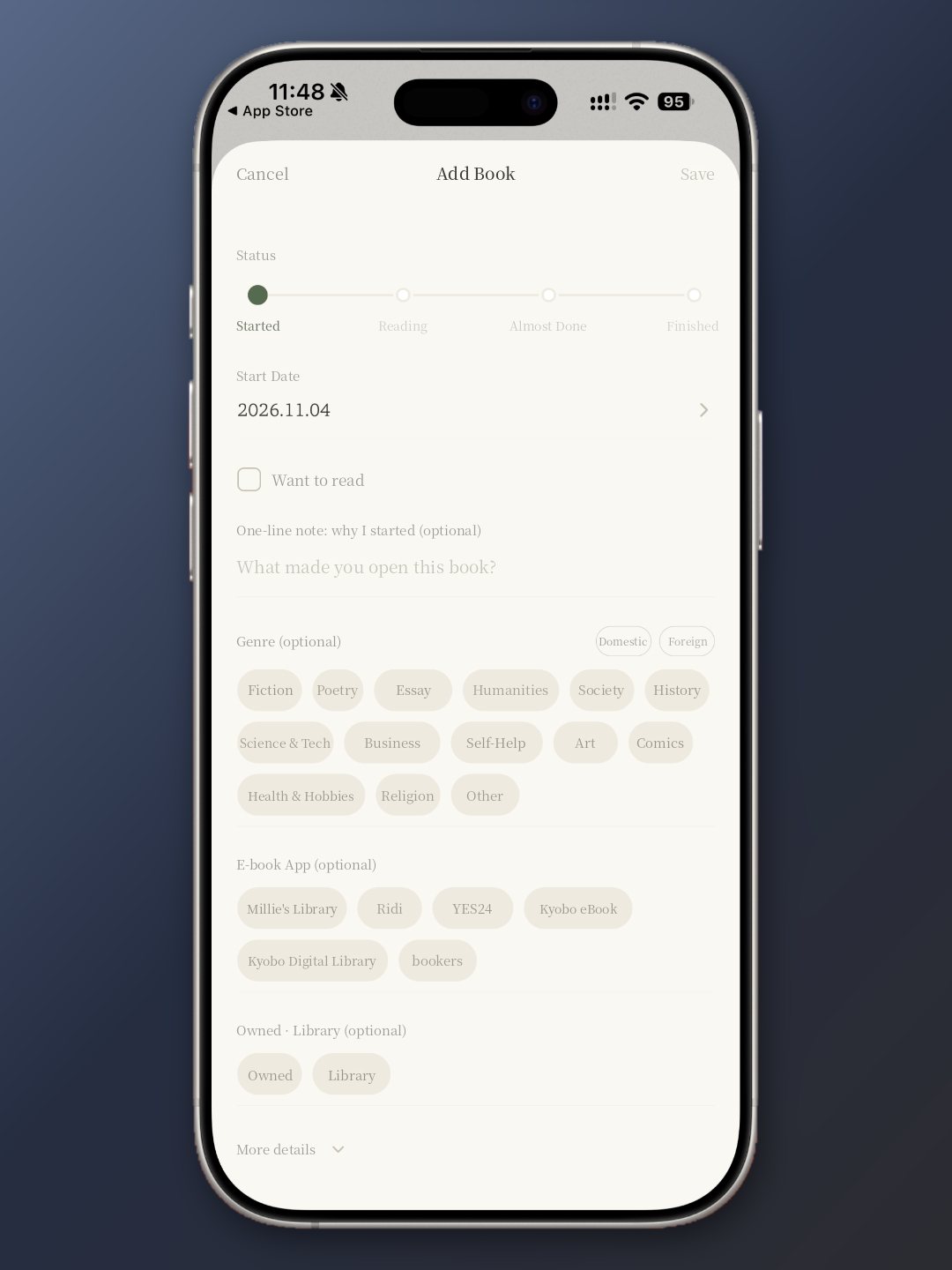
Adding a book to Ilgirok is refreshingly simple. You can type in a title manually or search for it, and barcode scanning is supported as well. The app suggests searching by both title and author for more accurate results. Nearly every book I added turned up on the first search.
What sets Ilgirok apart is that you set up each book the way it will look on your shelf. Choose a cover color and it becomes the book’s spine. Pick a thickness, from “thin” and “standard” to “on the thick side” and “doorstopper,” and the book’s width on the shelf changes to match. That’s why your bookcase looks tidy and intentional even if you never upload a single cover photo.
On the same screen, you can set your reading status, your start date, and whether the book is on your want-to-read list, and you can jot down a one-line note on why you picked it up. Genres are split into domestic and international titles. You can also tag which e-book platform you’re reading on, with options for major Korean services like Millie’s Library, Ridi, YES24, and Kyobo eBook, and whether a book is one you own or one you borrowed from the library. If you move between print and digital the way I do, it’s easy to see at a glance where each book actually lives.
Your Current Reads Are Tracked by Page and by Day
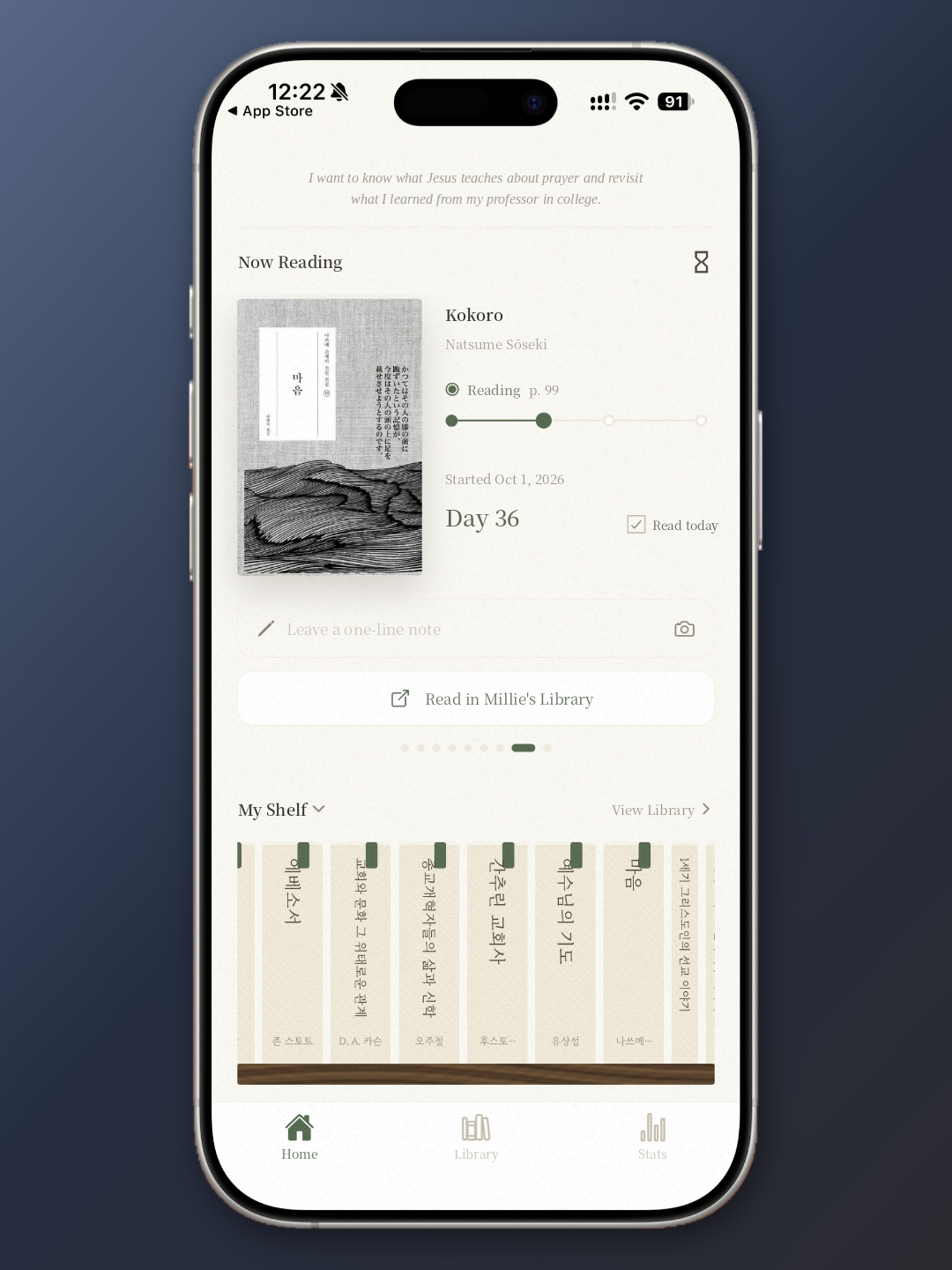
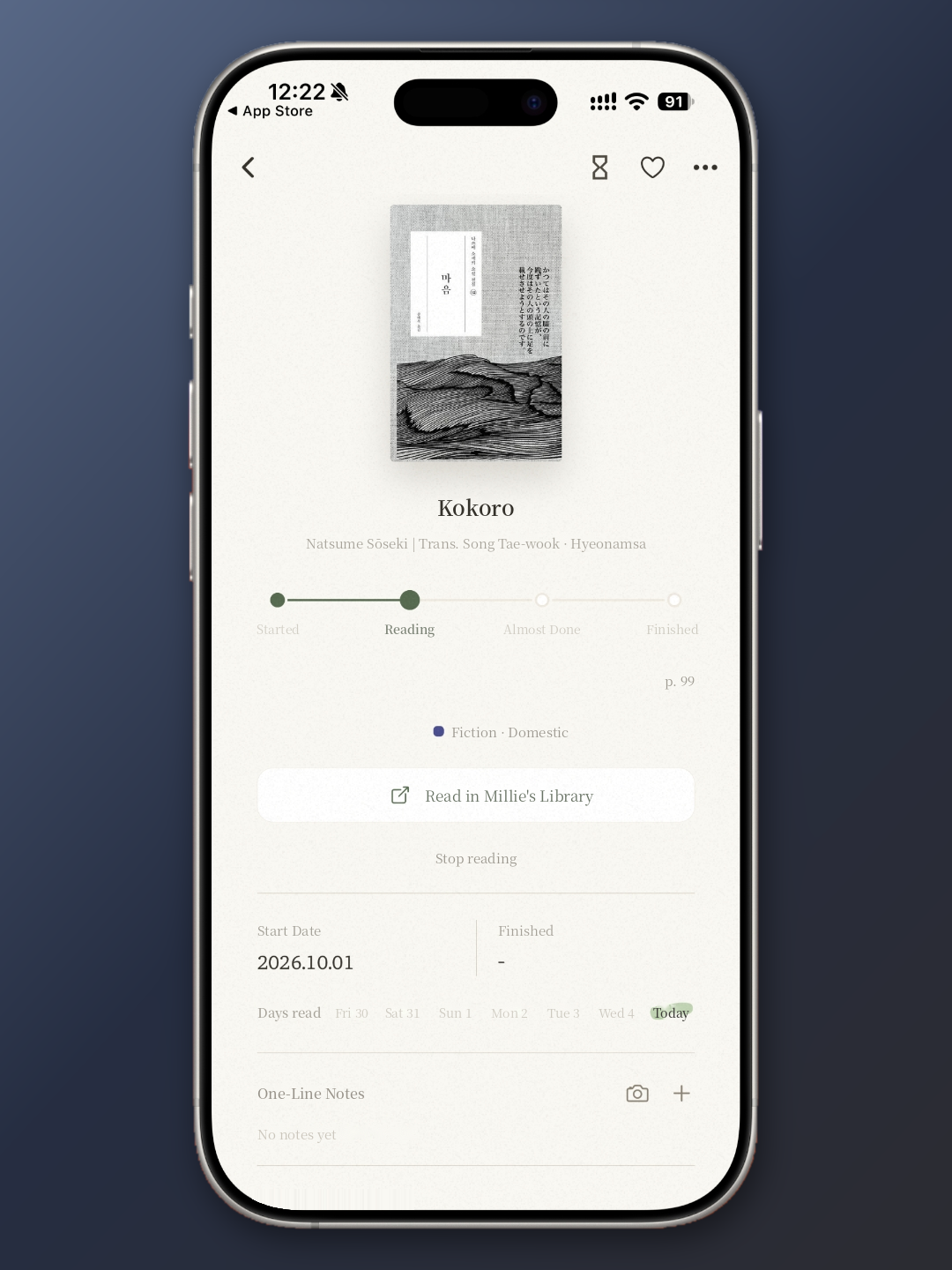
The home screen puts your current read front and center. You can log your progress by page number or by percentage, and a progress bar marks four stages: Started, Reading, Almost Done, and Finished. I’m currently reading Natsume Sōseki’s Kokoro, and as of this writing I’m on page 99, on day 36. When you’ve done your reading for the day, you simply check “Read today.”
The book’s detail page shows each day you read, labeled by day of the week, so you can see how faithfully you’ve stayed with a given book. If you’ve tagged an e-book platform, a button such as “Read in Millie’s Library” takes you straight into the app. Being able to jump from logging to reading in one tap is a small touch, but a thoughtful one.
The Library and Stats Turn Your Reading into Shelves and Charts
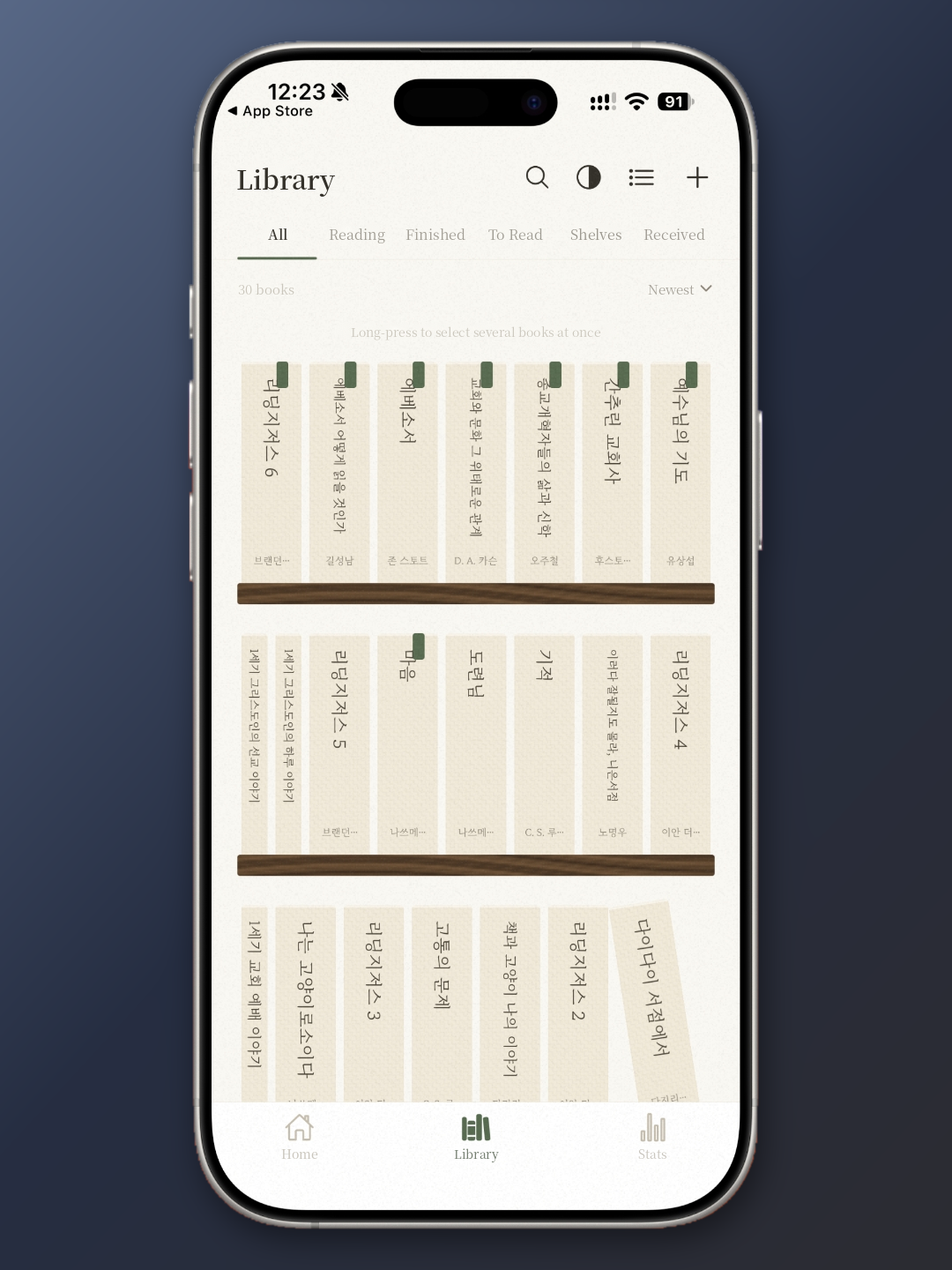
The library view shows your books as spines on a real-looking bookcase. Books you’re still reading carry a small green bookmark, which sets them apart from finished titles without any extra clutter. Switch to list view and you’ll see each book’s cover, author, start date, and status in order. Since I’m usually reading several books at once, this is the screen I open most. It tells me in a single glance exactly how many books I currently have going.
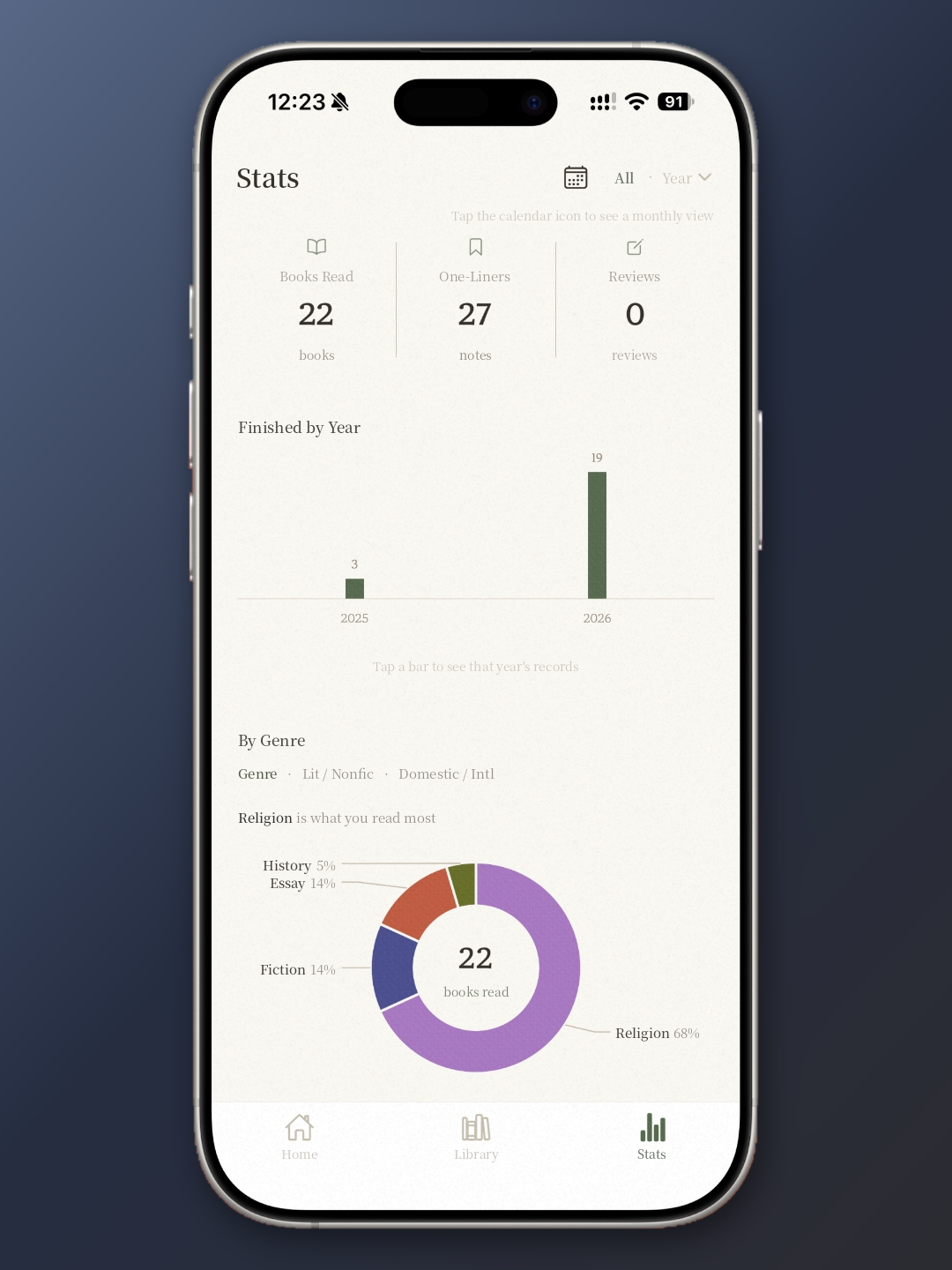
The stats screen opens with three numbers, books read, one-line notes saved, and reviews written, and then charts your finished books by year or by month in a simple bar graph. Your reading by genre appears as a donut chart. In mine, religion accounts for 68 percent, and the app duly informs me that religion is what I read most. It’s an honest screen. It shows you exactly where your reading leans, with no flattery involved.
A Single Shareable Image Makes You Want to Show Off Your Reading
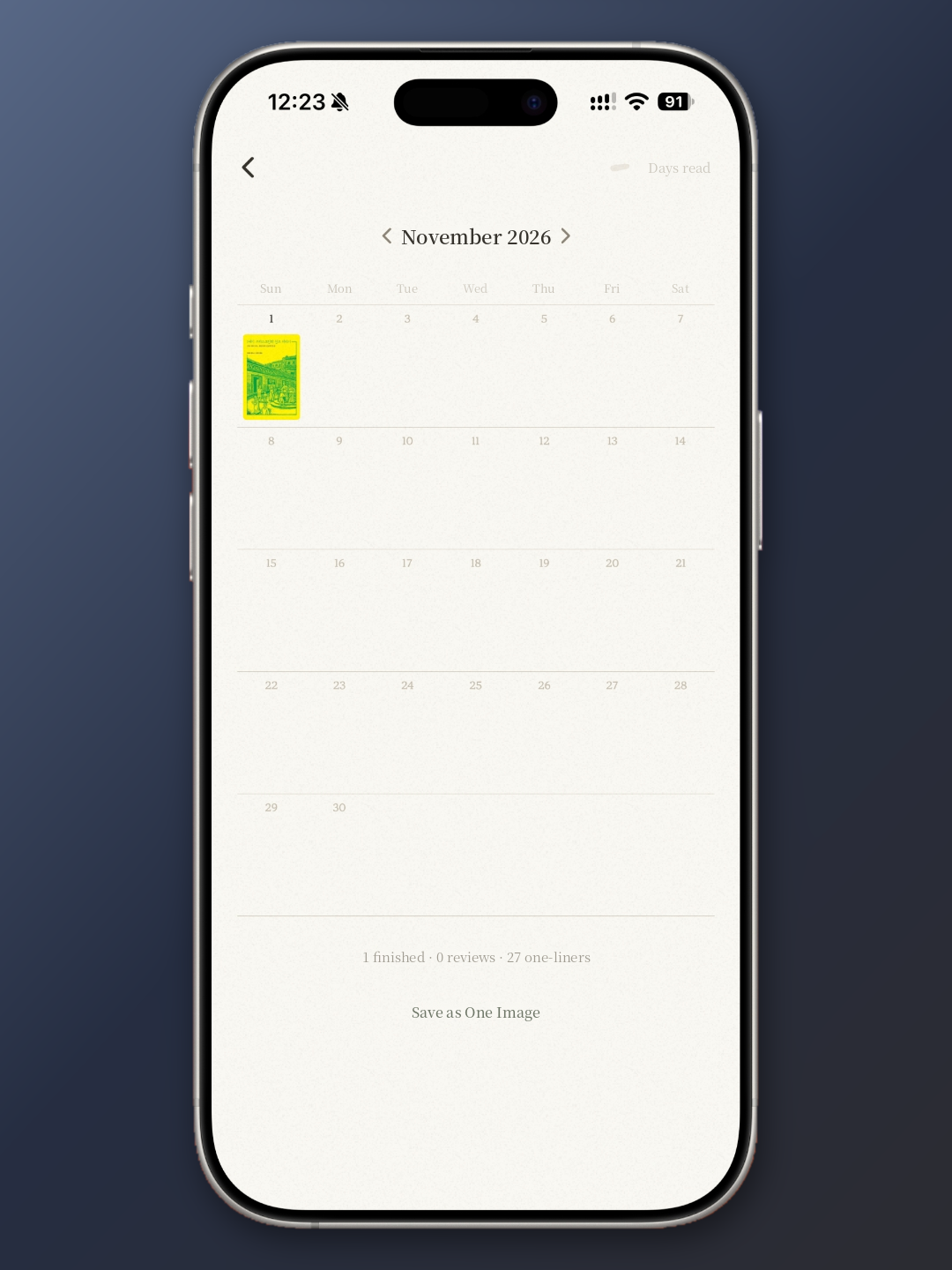
My favorite feature in Ilgirok is “Save as One Image.” From the calendar view, you can review a month of reading and export it as a single image. There’s a surprising range of layouts to choose from: Display Shelf, Bookcase, Book Stack, One-Liners, Monthly, Monthly Stack, and Bingo.
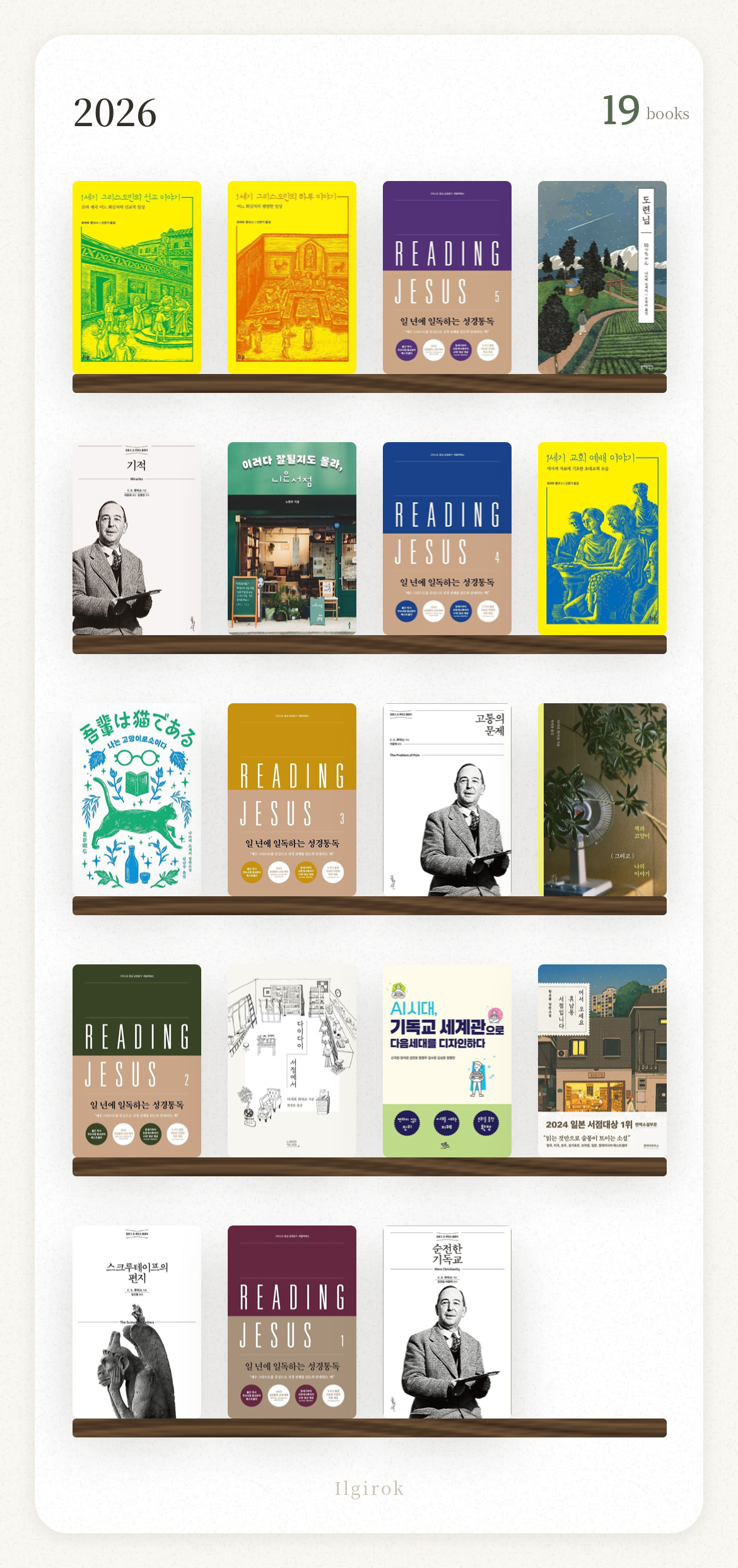
The Display Shelf layout lines up the covers of every book you finished in a given year on wooden ledges. My 2026 shelf currently holds 19 books. It’s nothing more than a collection of covers, yet it captures an entire year of reading in one frame, and it looks right at home on Instagram.
I also appreciate that you can log moments with photos. The one-line note field includes a camera button, so when a sentence stops you in your tracks, you can photograph the page on the spot. No retyping required. The page is preserved exactly as you met it.
Limited Note-Taking and No Star Ratings Hold It Back
The app does have clear shortcomings. Ilgirok is excellent for managing what you’re reading, but it offers little room for recording your reading in depth. Note-taking centers on one-liners, and there’s no star rating for books you’ve finished. When you’re deciding whether to revisit a book or recommend it to someone, a rating turns out to be a surprisingly useful reference point, so its absence leaves a real gap in a reading tracker. If you’re the kind of reader who carefully collects favorite passages and writes out your reflections on every book, Ilgirok alone probably won’t be enough.
It’s the Right Fit for Readers Who Value Feel over Features
Ilgirok doesn’t try to win on features. Instead, it offers three clear strengths. Its warm, thoughtful design makes the act of logging feel like a pleasure rather than a chore. Its simplicity makes it easy to see what you’ve read at a glance. And its slowly growing bookshop and endearing shopkeeper give you one more small reason to pick up your next book. If you need a detailed reading journal, I’d suggest pairing it with a more note-focused app. And since the app speaks only Korean for now, it will feel most at home with readers who are comfortable navigating a Korean interface. For them, Ilgirok is a lovely place to build up a reading life one book at a time and to open a little bookshop of their own.
About Author

faith.log
A journal that connects faith and everyday life. In each small piece of writing, we share the grace of God and the depth of life together.


