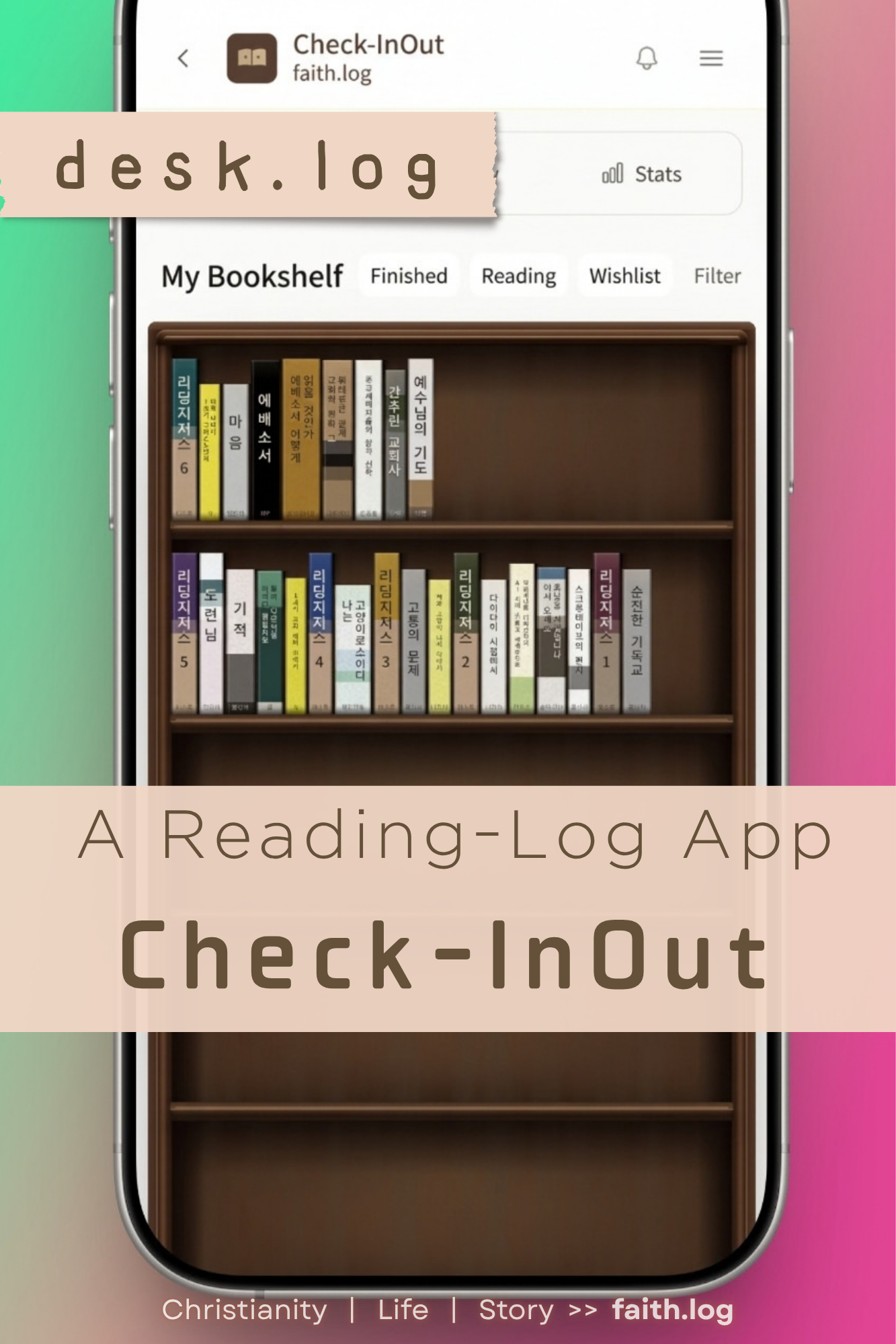
Check-InOut: A Reading-Log App With a Few Tricks Up Its Sleeve
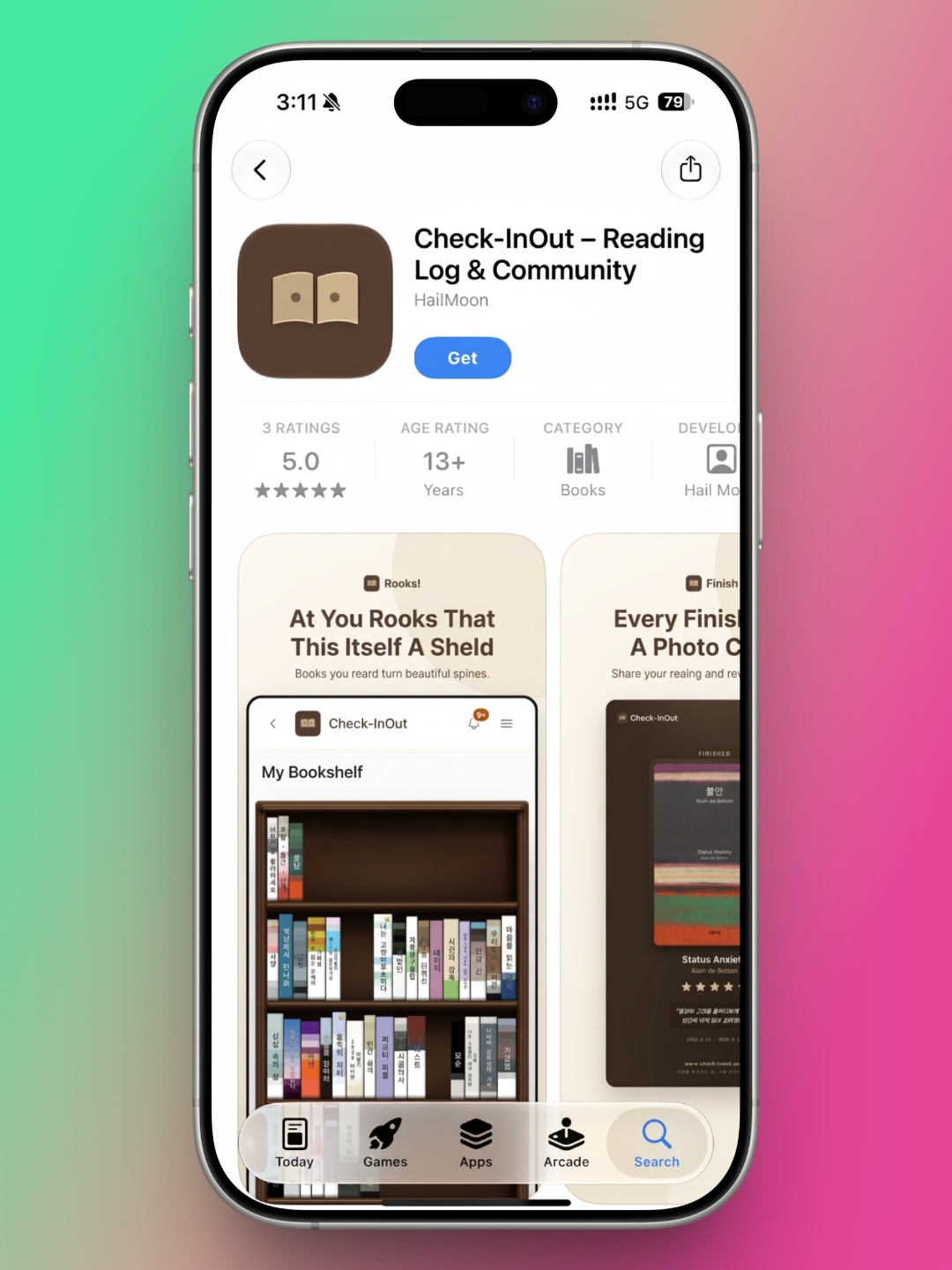
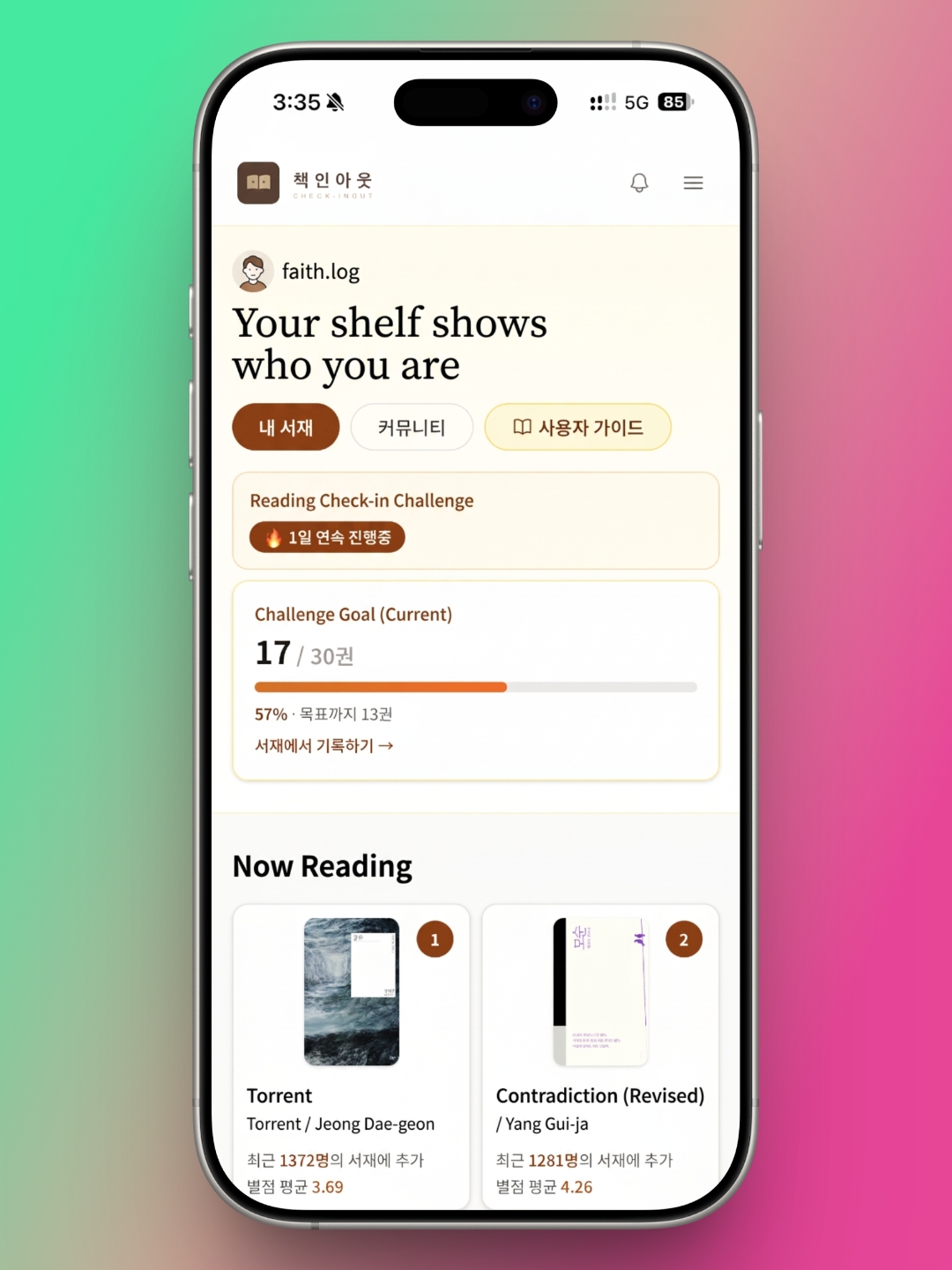
This month's desk.log pick is Check-InOut, a reading-log app. After reviewing a new reading app every month, I've noticed that most of them do roughly the same things. Check-InOut is different. It has features you won't find in a typical reading tracker. Usually, after trying out a string of apps, I end up settling on one. This time, Check-InOut's features won me over enough that I now use it alongside the app I'd already committed to.
Forget MBTI: BookBTI Turns Your Reading Habits Into a Type
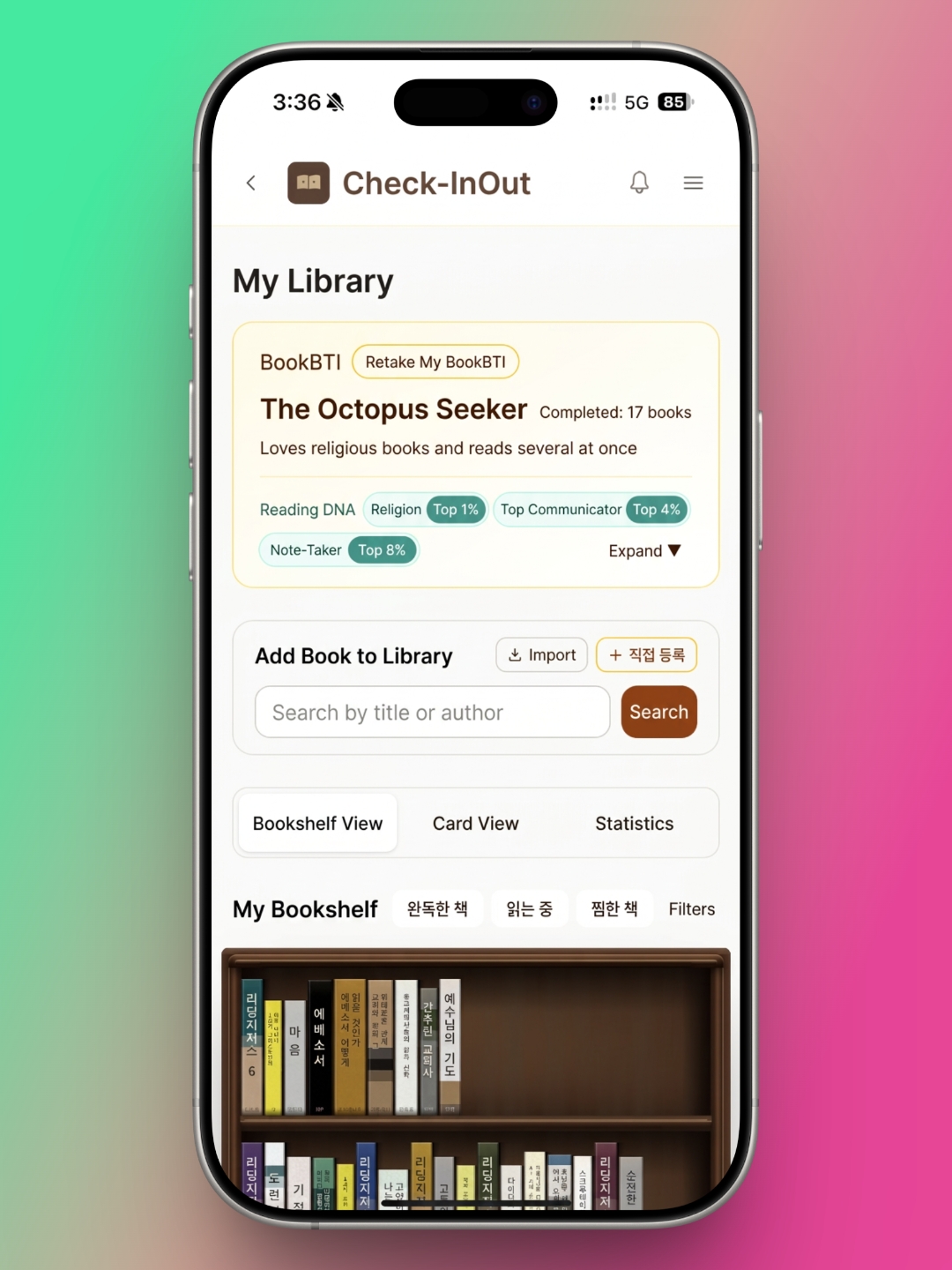
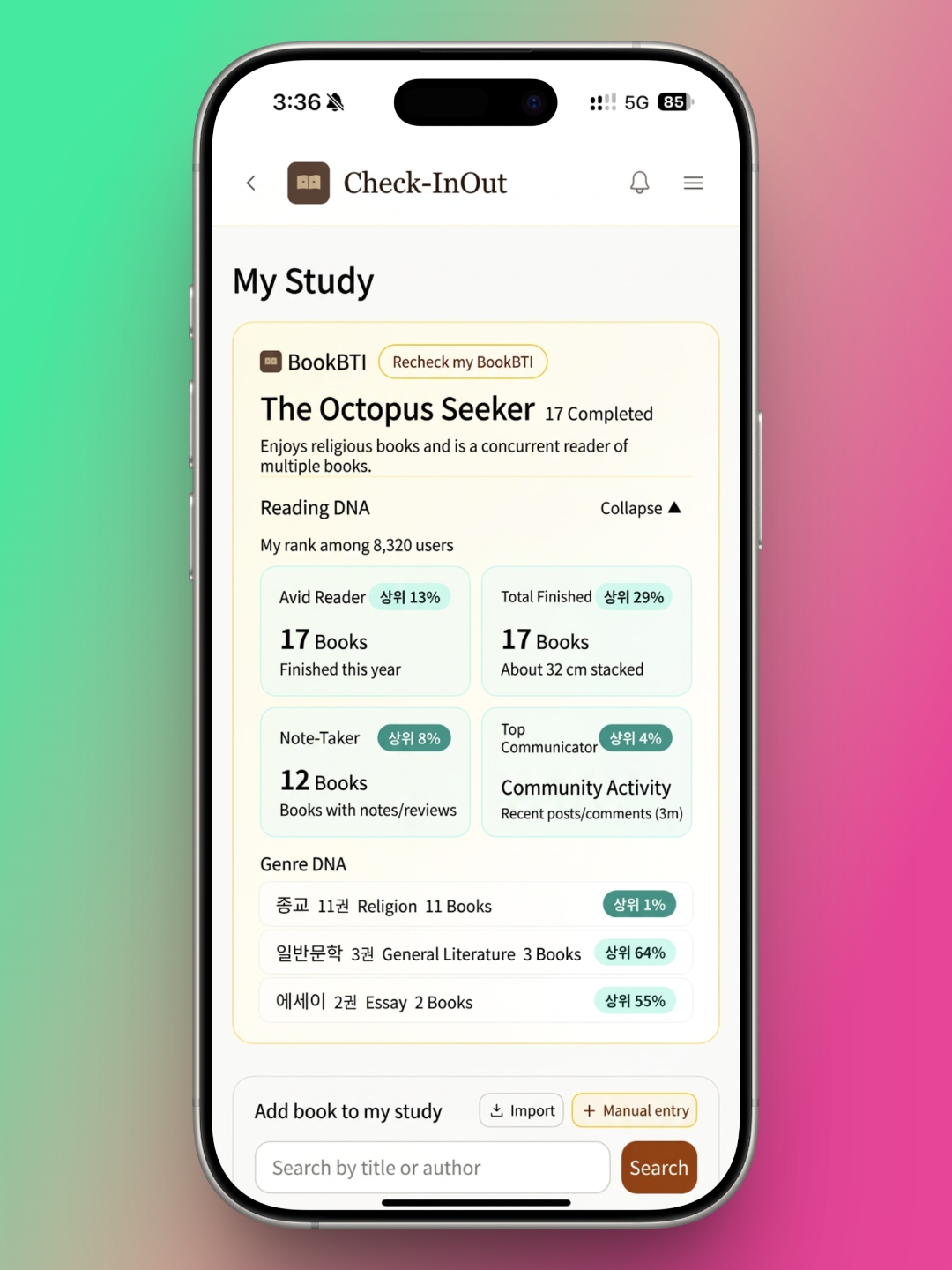
When people want to describe themselves, or figure someone else out, MBTI is often the first thing they reach for. It caught on because it sums up a personality quickly and simply. Check-InOut has its own version of the idea, called BookBTI, which maps your "Reading DNA.”
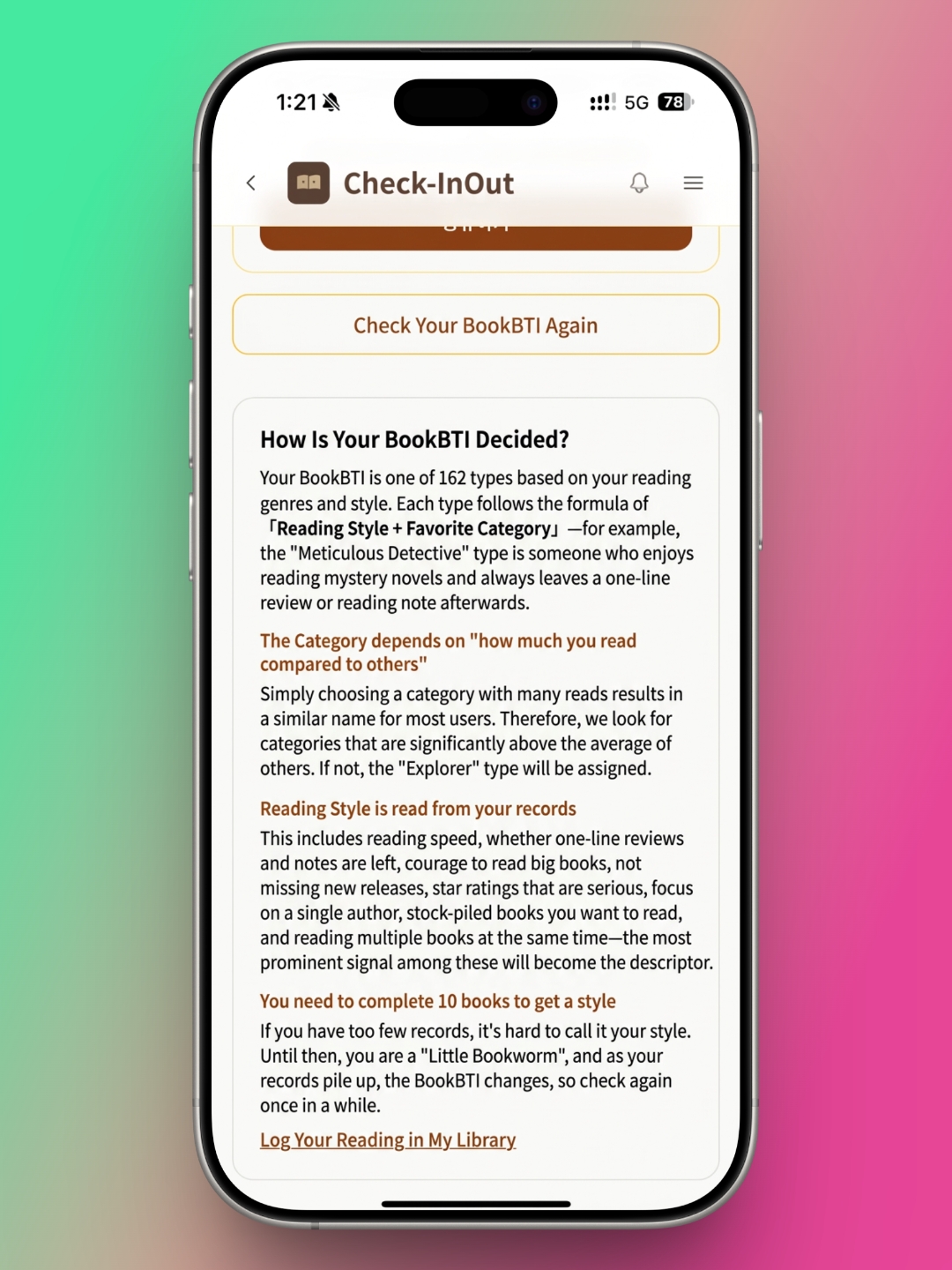
BookBTI pairs the genres you gravitate toward with the way you read, and assigns you one of 162 types. Your genre is the one you read noticeably more of than other users do. Your reading style comes from the records you keep in the app, and the app looks at a lot of them:
- how fast you finish books
- whether you leave one-line reviews or notes
- whether you take on doorstoppers without flinching
- whether you keep up with new releases
- how tough you are with star ratings
- whether you go deep on a single author
- whether you stockpile books you want to read
- whether you read several books at once
You unlock your BookBTI after finishing ten books. Because your type can shift as your records grow, it's fun to check back now and then.
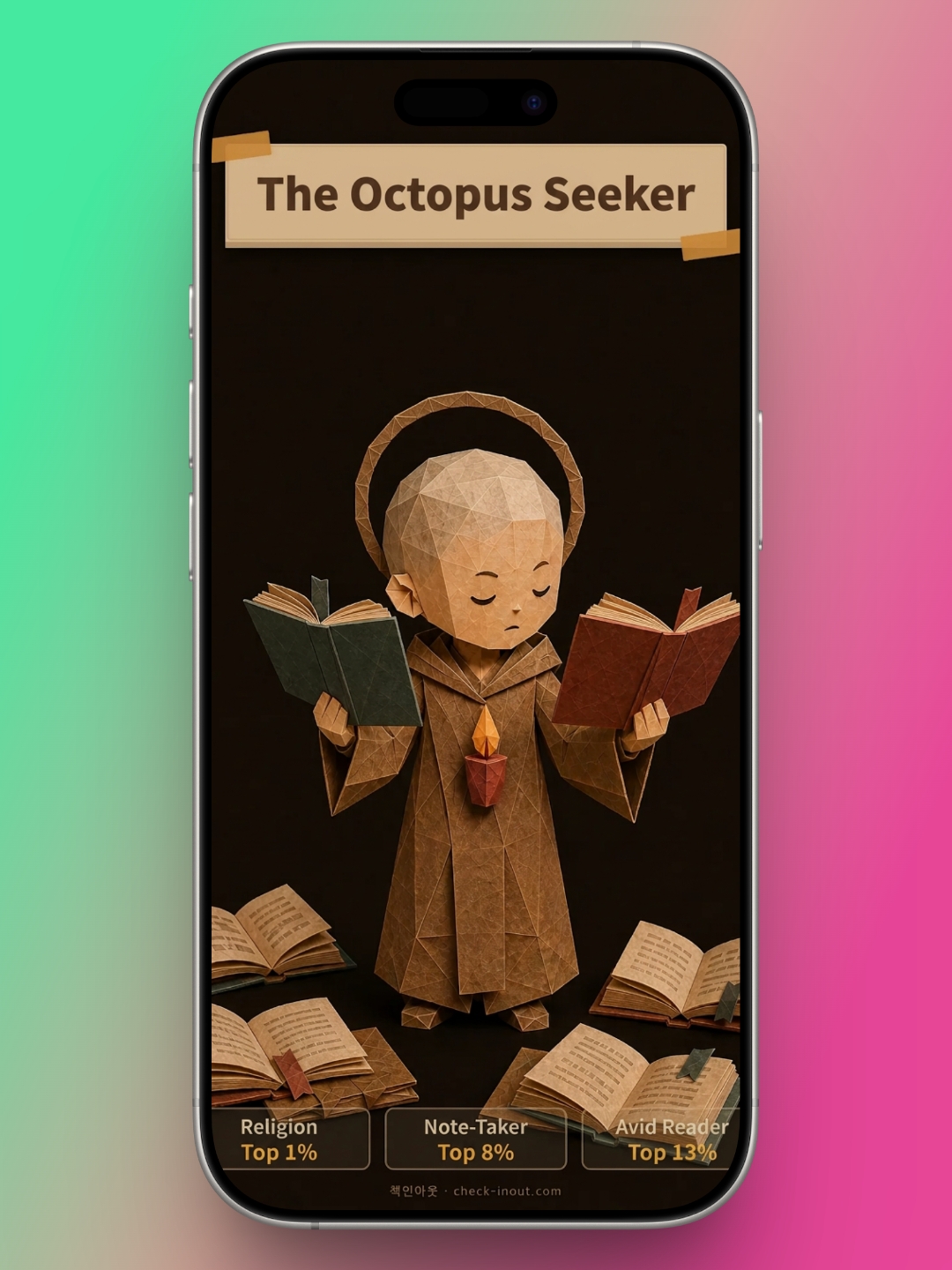
My type turned out to be "The Octopus Seeker." It reflects my rankings: top 1% in religion, top 8% for leaving notes, and top 13% as an avid reader. The app also explains what each type means. An Octopus Seeker loves religious books and is a parallel reader, someone who always has several books going at once. That description makes it easy to understand your own reading habits. BookBTI shows you how you actually read, and it adds a little extra fun to reading itself.
Your Reading Life, Shelved in Plain Sight
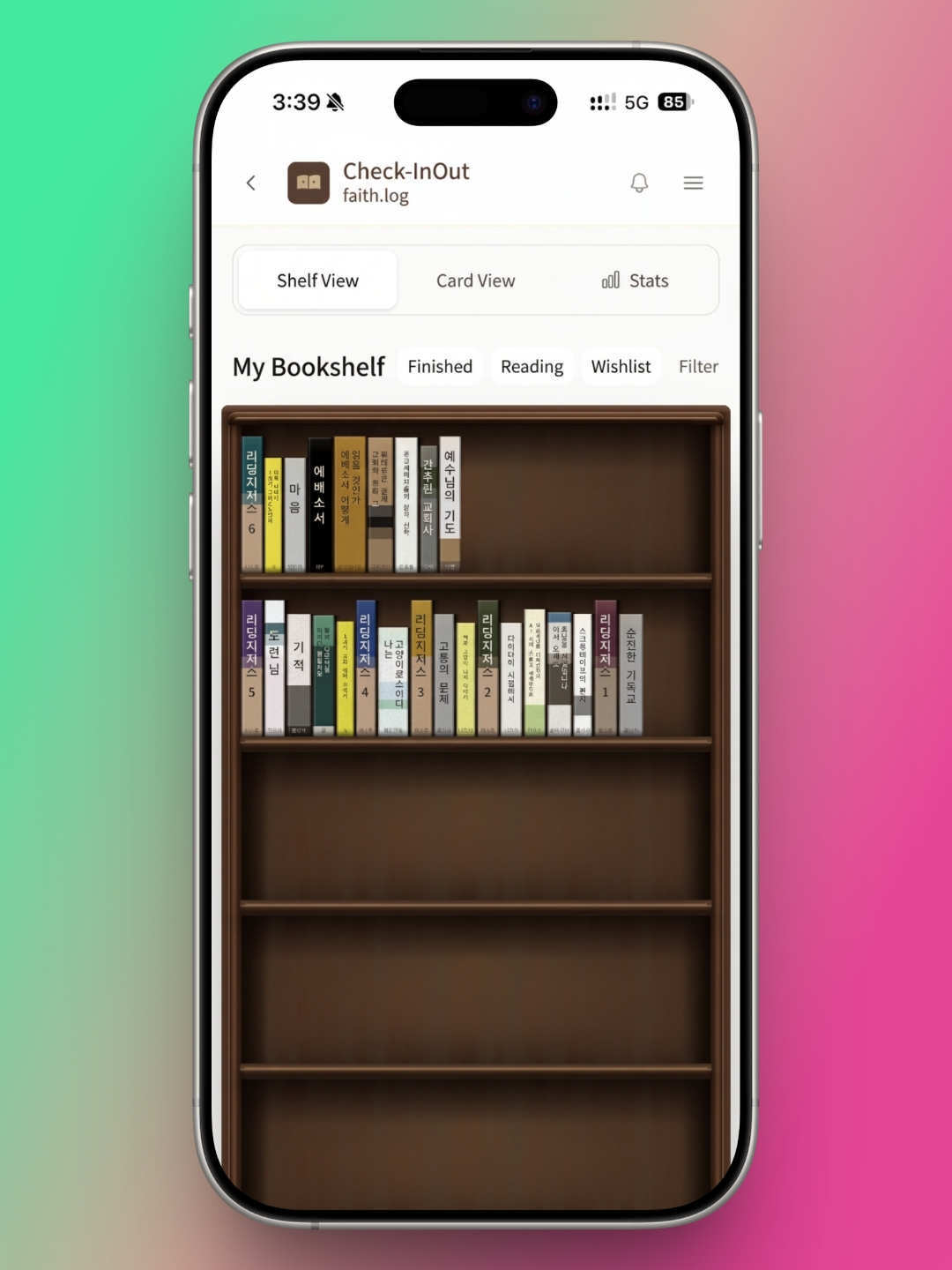
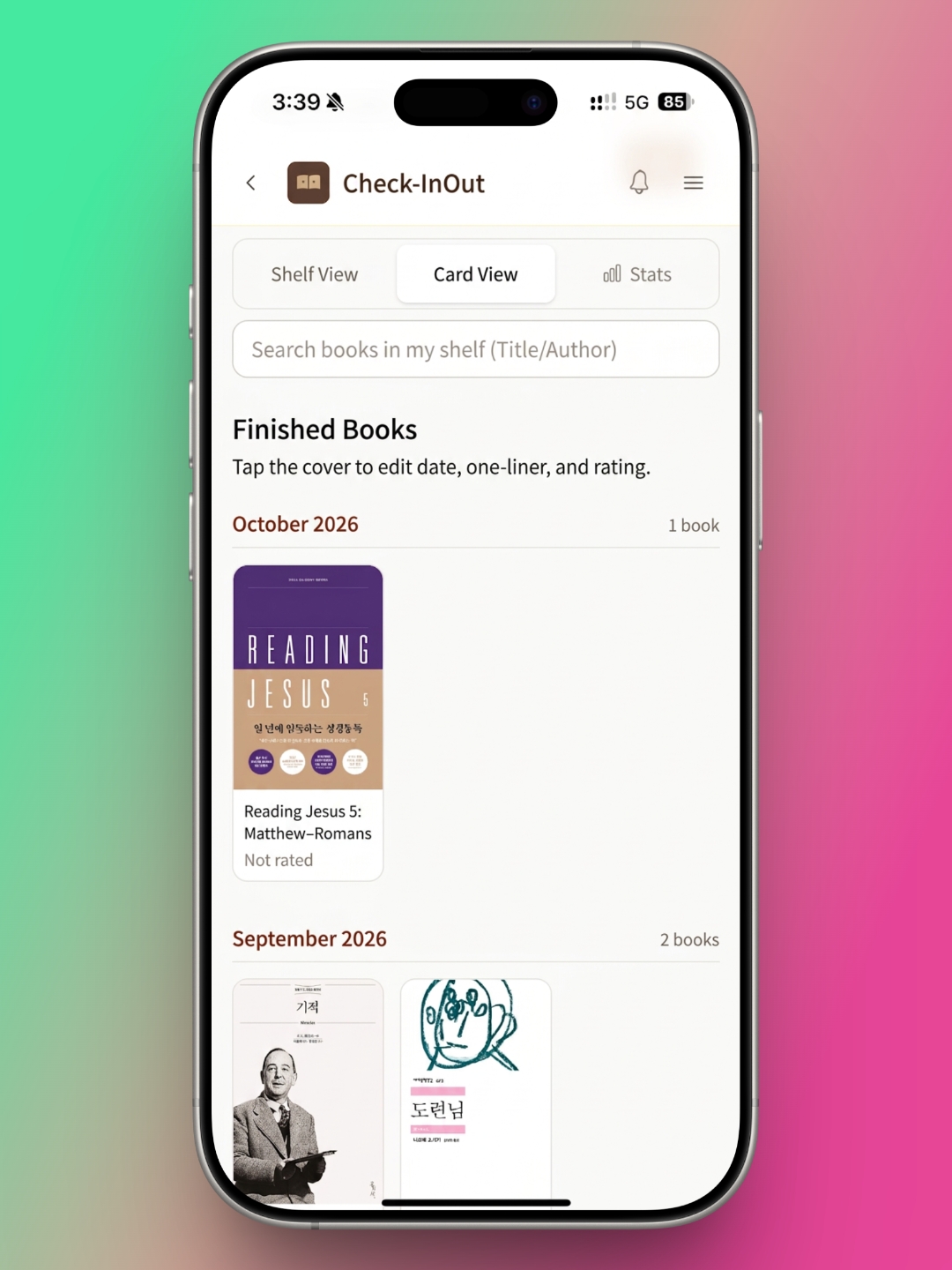
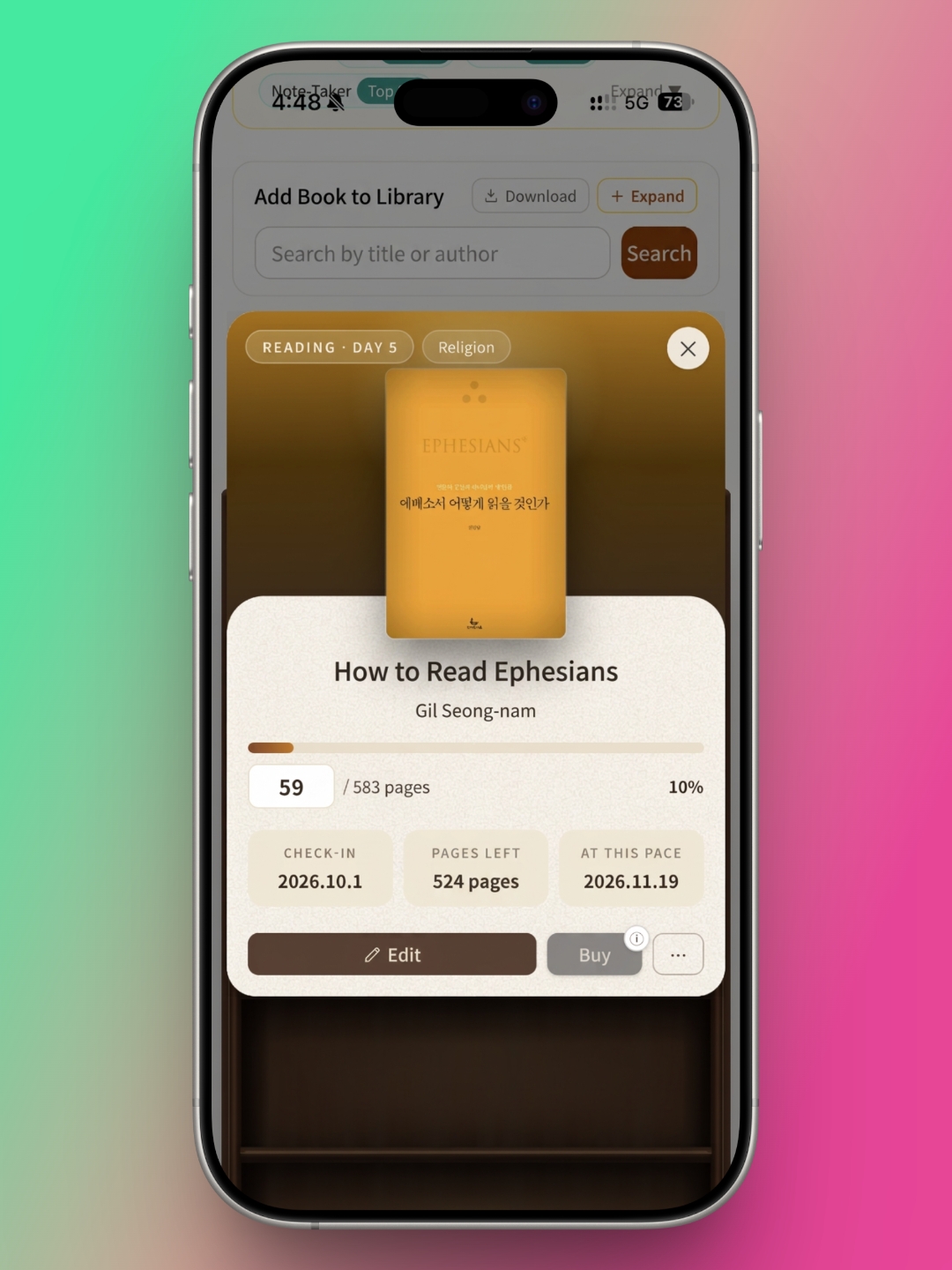
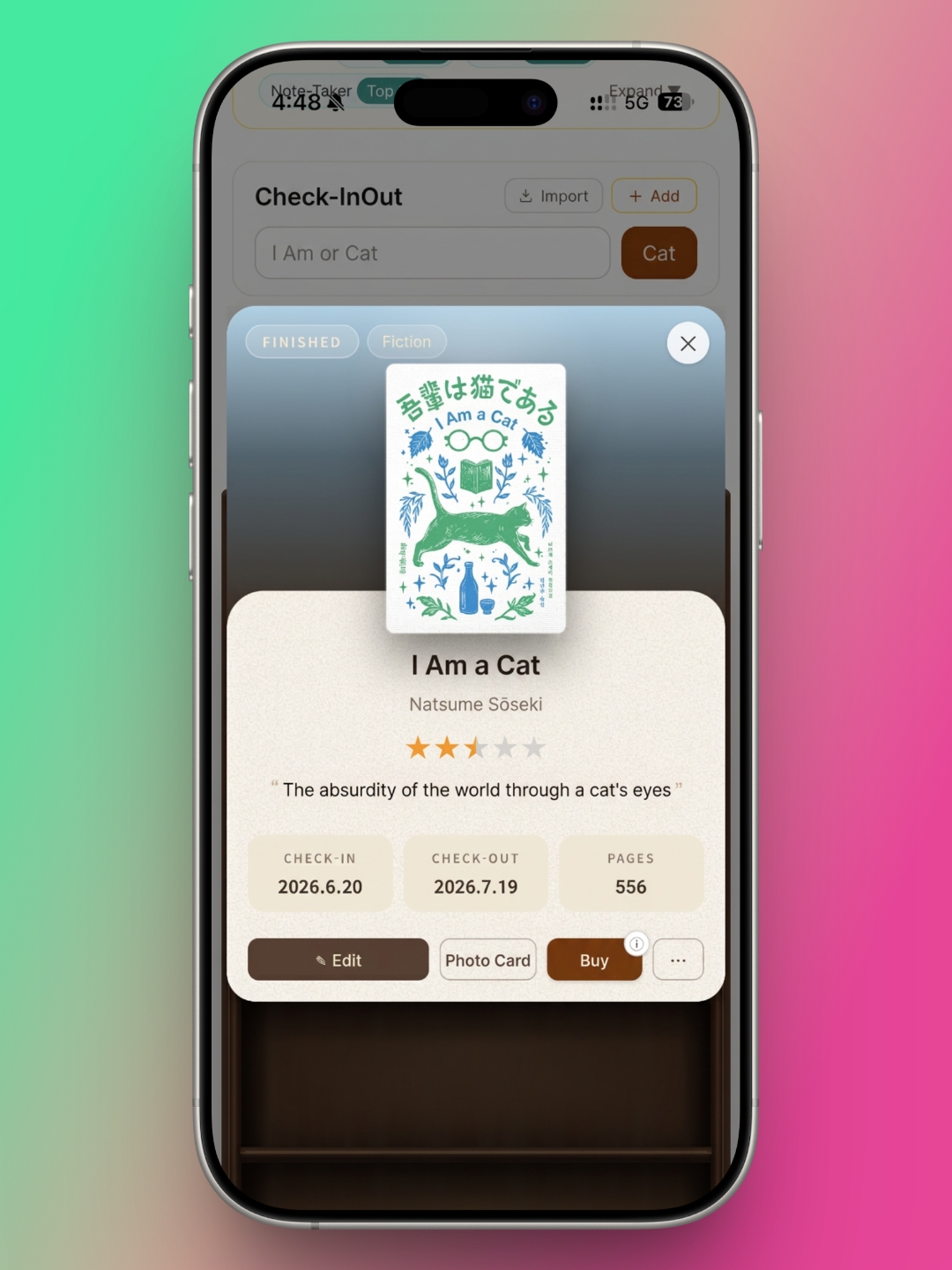
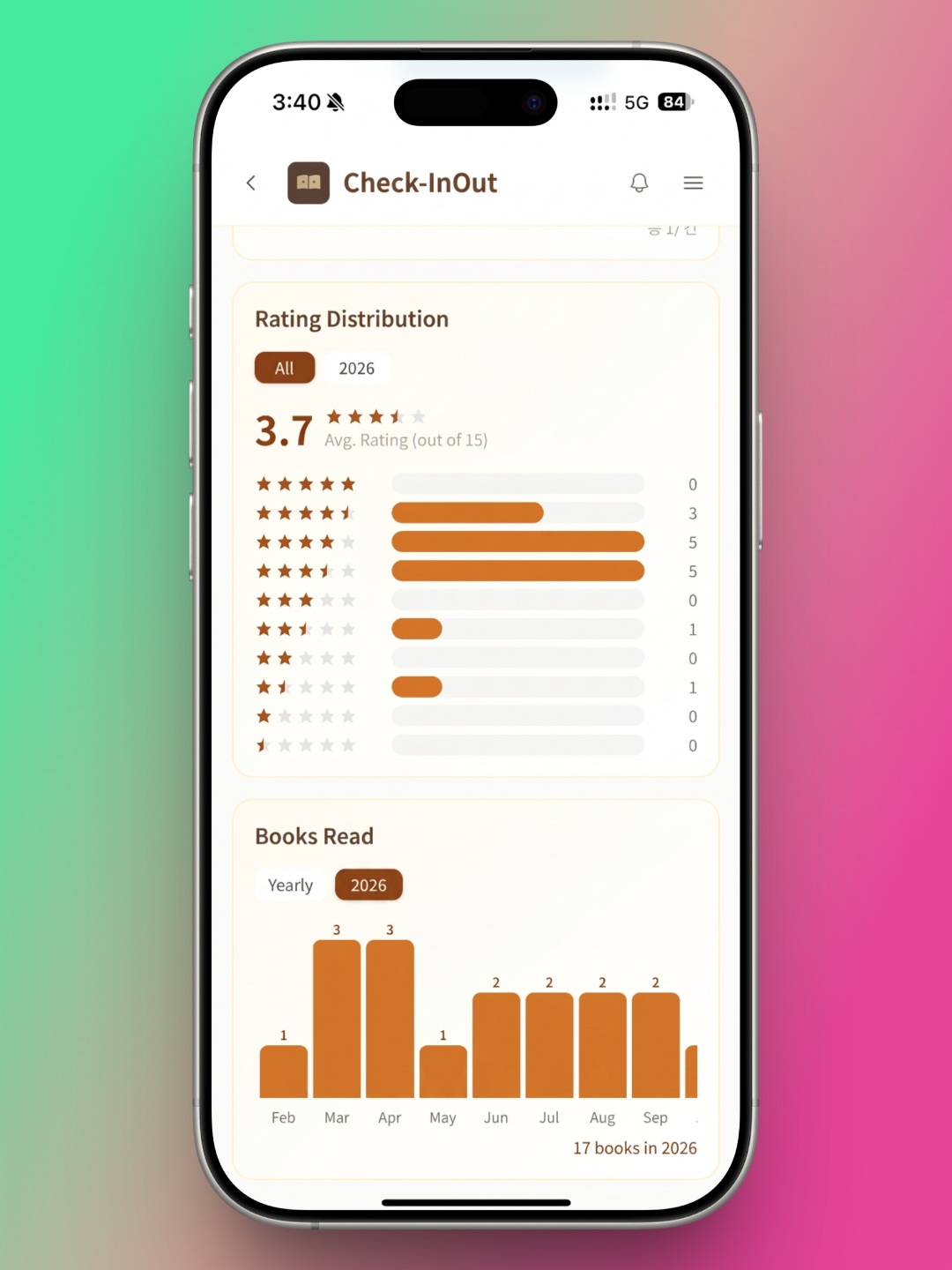
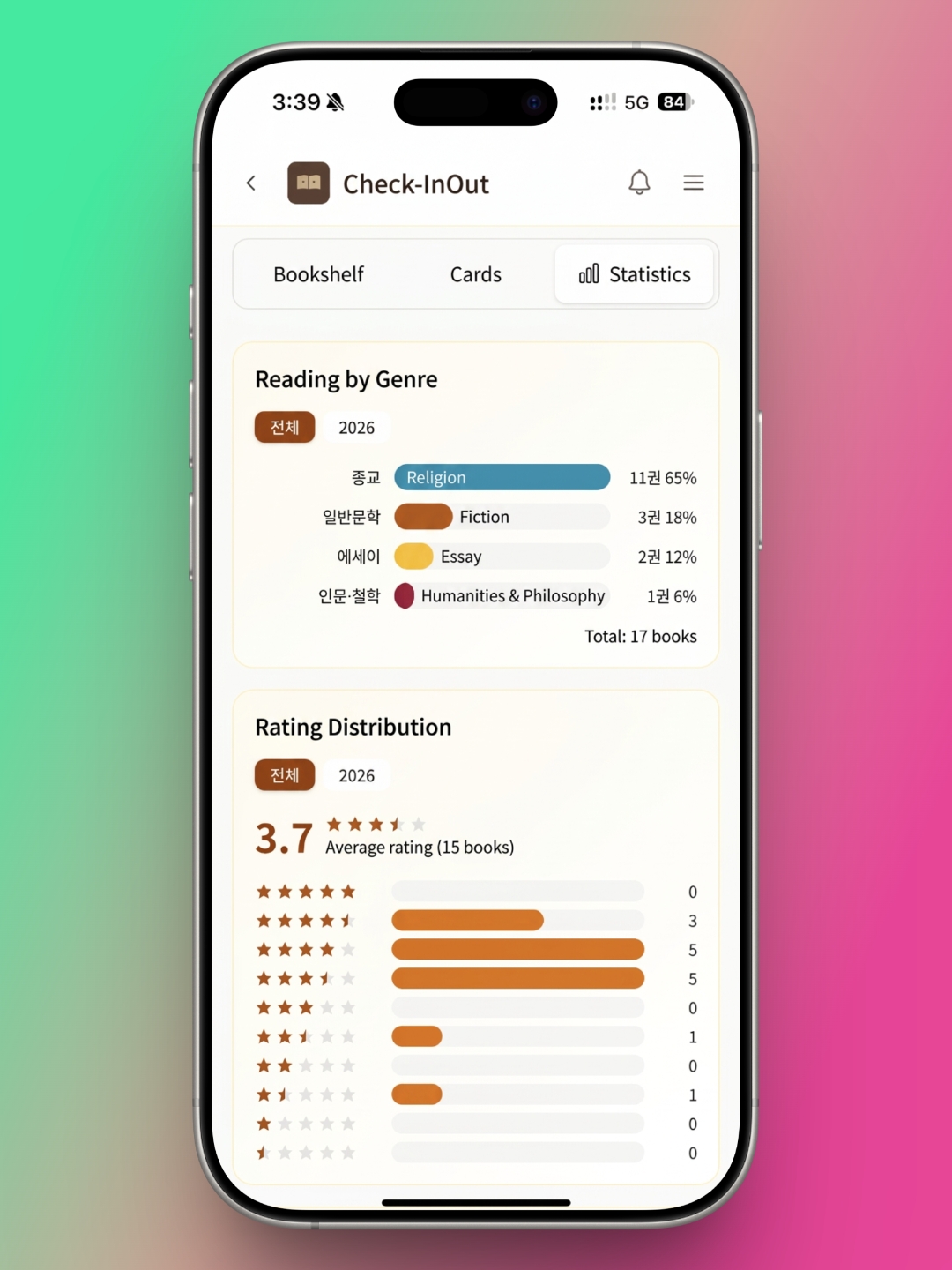
Check-InOut gives you three ways to look at your books: Shelf View, Card View, and Stats. Stats doesn't show books one by one, so you'll use Shelf View and Card View to browse individual titles.
In Shelf View, your finished books, current reads, and wishlist each fill their own section of a bookshelf. I have no wishlist, only finished books and current reads, so my shelf splits into two sections. Seeing your records as books lined up on a real shelf is one of the app's biggest draws. As a parallel reader, I always have a lot of books in progress. I especially like that they sit apart from my finished books, where I can take them in at a glance.
Tap a book on the shelf and it slides out, as if you were pulling it off a real shelf, to reveal the details. For a finished book, you'll see your star rating, your one-line review, the dates you read it, and the total page count. A book you're still reading shows something different. It tells you how far along you are in pages and as a percentage. It also uses your reading pace so far to estimate when you'll finish.
Card View works like most reading apps, putting the cover front and center. Tap a cover and, just as in Shelf View, you'll find the book's details and your own notes. Unlike Shelf View, though, Card View doesn't offer much that sets it apart from other apps.
Stats breaks down your reading across the whole time you've used the app or year by year. It covers reading by genre, rating distribution, and how many books you've read. It's a handy way to take a quick look back at your reading so far.
Adding Books Is Easy. Search Still Needs Work.
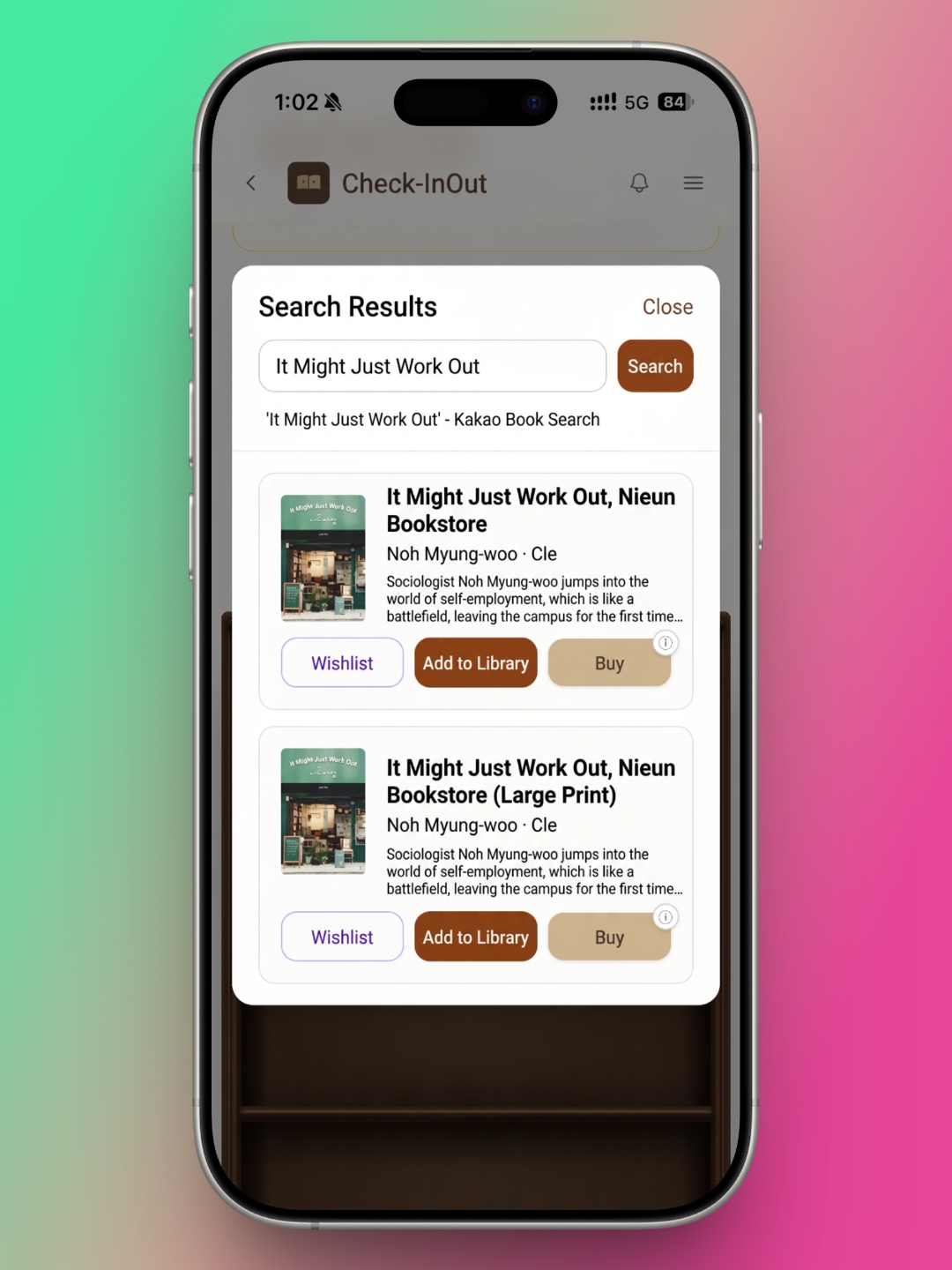
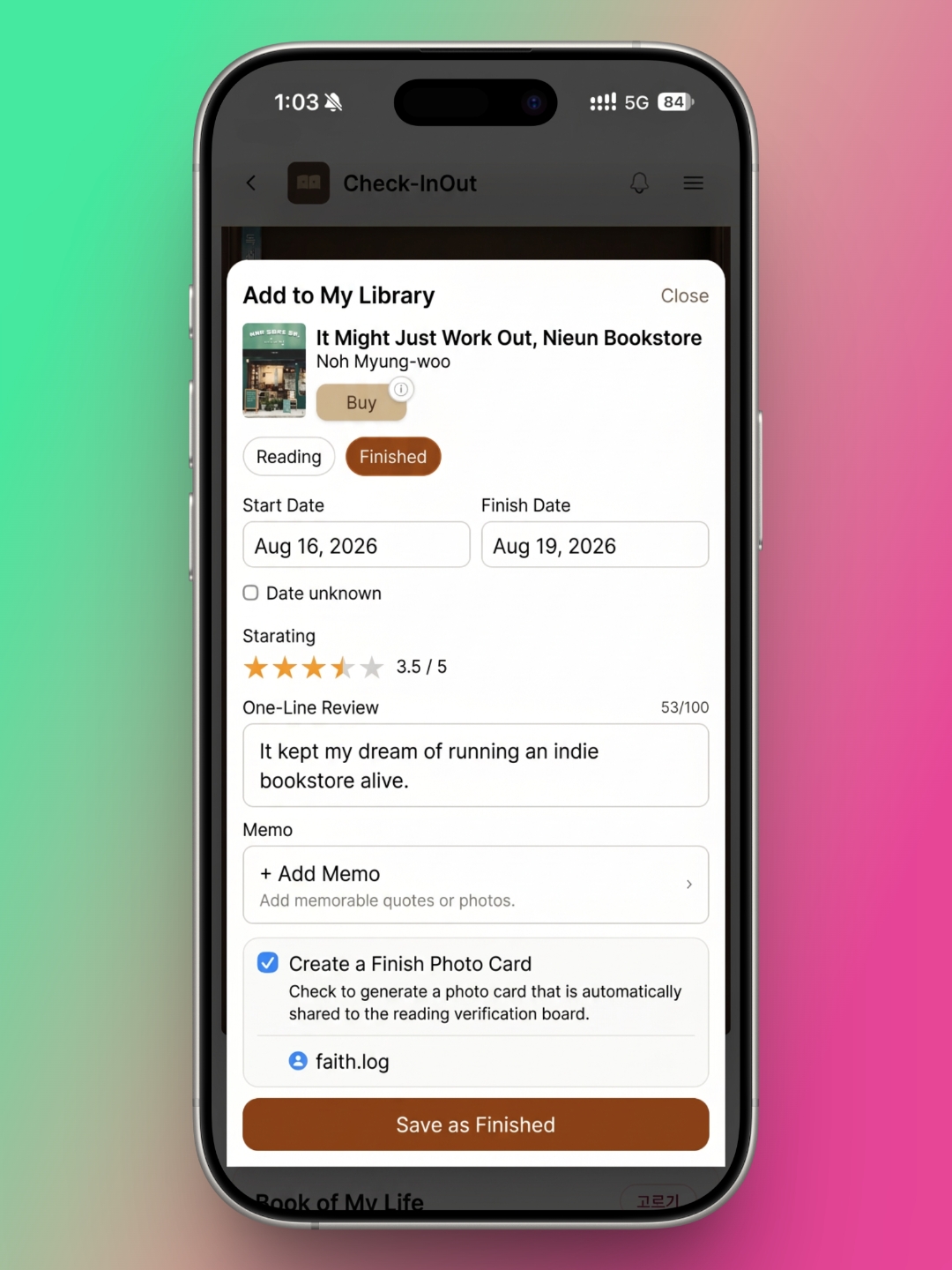
Adding a book works much the way it does in most current reading apps. You search by title or author, pick the right book, and add it to your library. Check-InOut has one advantage over many other apps: from the search results, you can also save a book to your wishlist or buy it right away. The Buy button takes you straight to YES24, one of Korea's largest online bookstores, which makes it convenient if that's where you already shop.
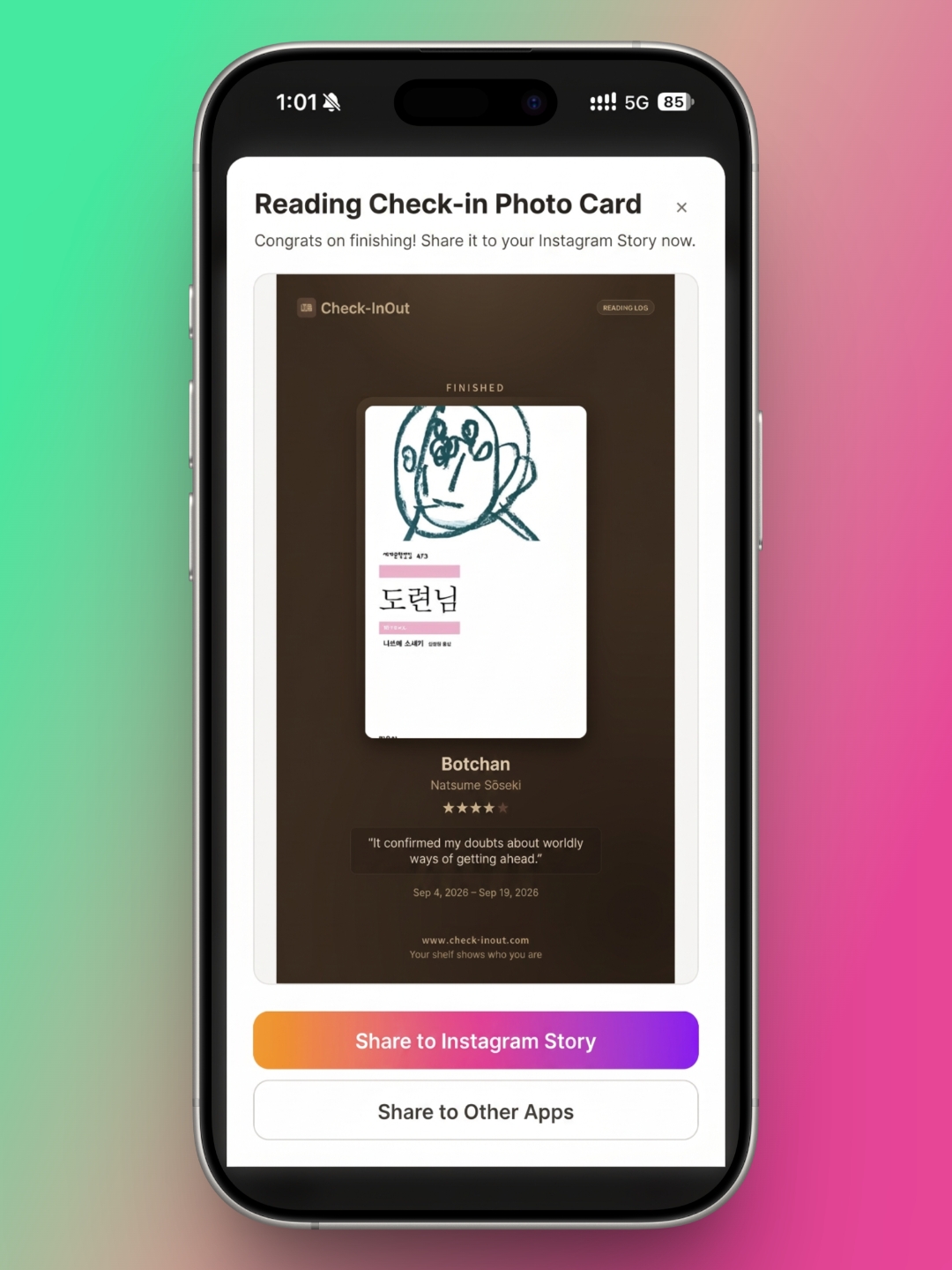
When you add a book, you mark it as currently reading or finished. You can also log your reading dates, a star rating, a one-line review, and notes. The standout feature here is the Reading Check-in Photo Card. When you save a finished book, the app creates a card with the cover, the title, your rating, your one-line review, and your reading dates. You can share it straight to your Instagram Story, which makes it an easy win for anyone who posts on Bookstagram.
There is a downside. Check-InOut runs its search through Kakao Book Search, and compared with other reading apps, it doesn't always pull up the exact book you're after. The same title is often published by several different publishers, and some of those editions didn't show up in my results. You can pick another edition with the same title and content, and your records will be fine. But the cover won't match, and that's a letdown. Manual entry solves the problem, but it doesn't make the search any less frustrating.
Tell It What You Like, and It Picks Your Next Book
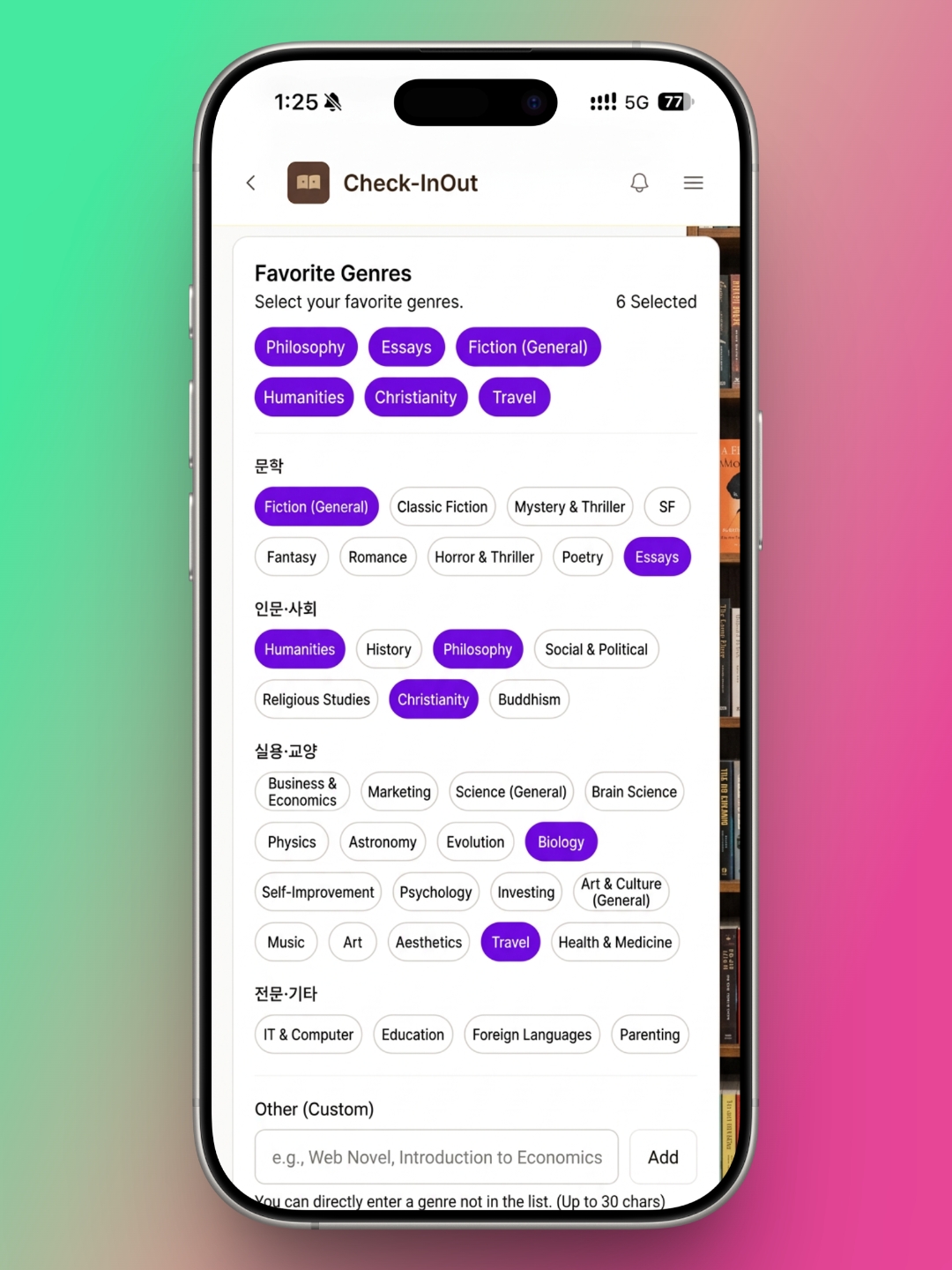
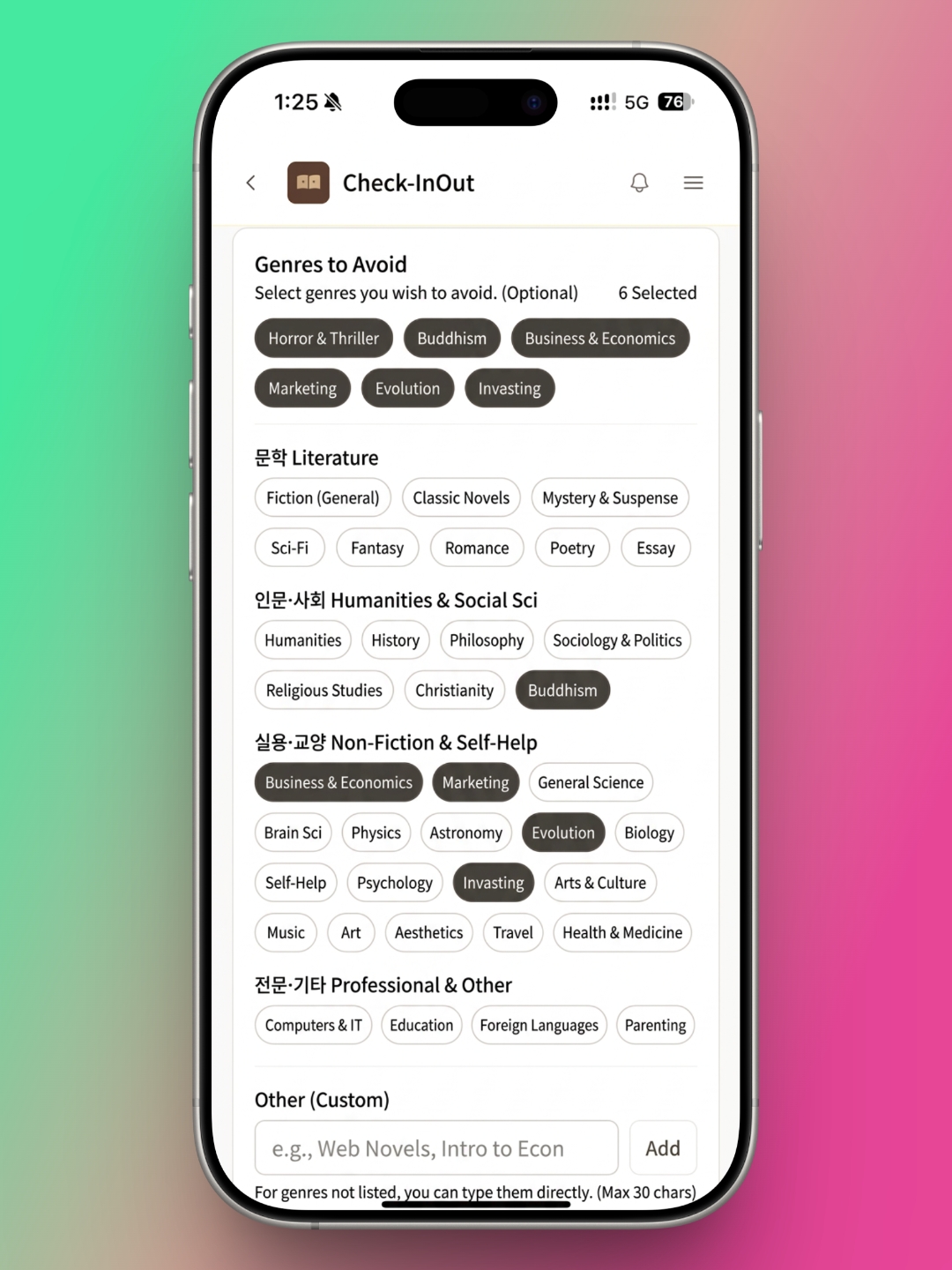
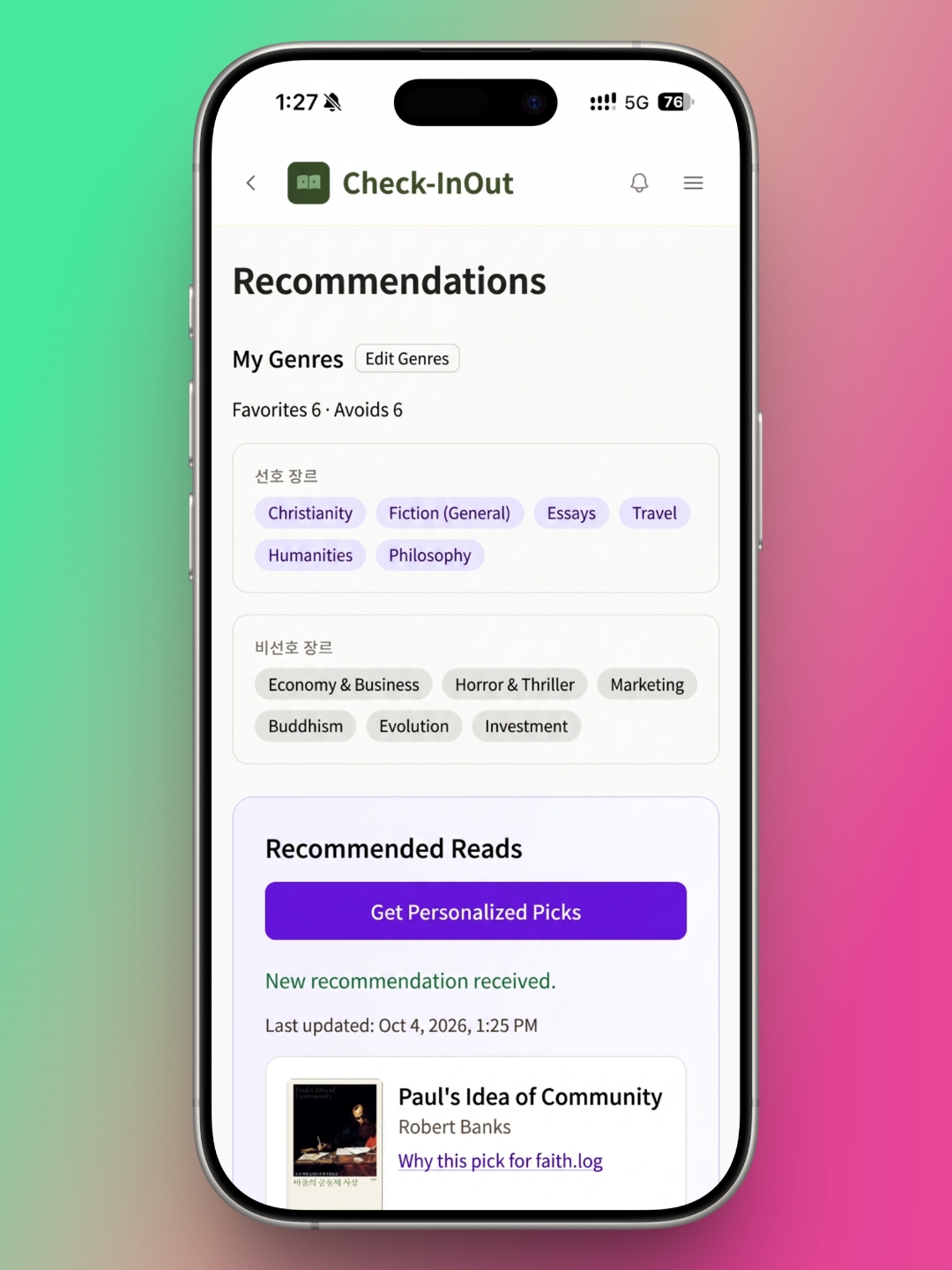
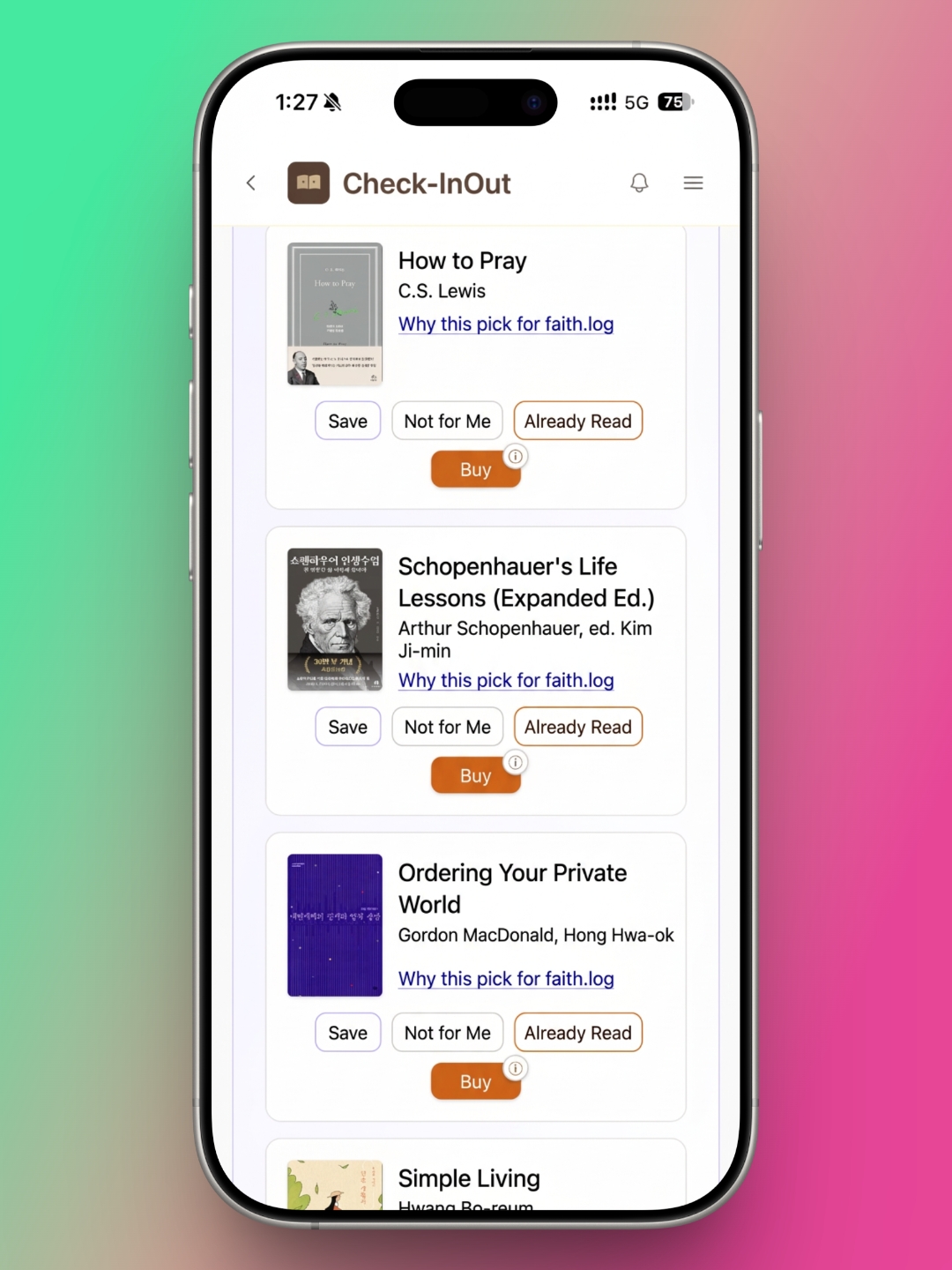
Check-InOut's other distinctive feature is book recommendations. Choose the genres you like and the ones you'd rather avoid, and the app serves up personalized picks. Each pick comes with an explanation of why it was chosen for you. That makes the feature useful when you're stuck on what to read next, or when you just want someone else to choose for you. If a recommended book is one you've already read, you can log it on the spot. If a pick doesn't appeal to you, mark it "Not for Me," and the app fine-tunes future recommendations.
As with search, you can save any recommended book to your wishlist or buy it directly through YES24. I usually choose my next book based on what I've just read, so I don't use this feature often. Still, when I want to find something new without much effort, or read outside my usual lane, it's genuinely appealing.
Not a Replacement, but a Reading Companion Worth Adding
Check-InOut also has a community feature. Outside of book clubs and reading groups, where I do enjoy talking about books, I'm not much for online communities, so it isn't something I need. Readers who like that kind of space may find it helpful.
Three features clearly set Check-InOut apart from other reading apps:
- Photo cards you can share to Instagram the moment you finish a book.
- BookBTI, which reveals your Reading DNA through your own records.
- Recommendations tailored to your taste.
On record-keeping alone, there are stronger apps out there. But these features make reading more fun, and that makes Check-InOut a great companion to whatever reading app you already use. If you want to add a little more fun to your reading life, Check-InOut is worth a try.
About Author

faith.log
A journal that connects faith and everyday life. In each small piece of writing, we share the grace of God and the depth of life together.
'EN Edition > desk.log_EN' 카테고리의 다른 글
| desk.log | Riida: A Reading Tracker That Gets the Fundamentals Right (0) | 2026.09.05 |
|---|---|
| desk.log | Dolgalpi: A Reading Log App That Keeps Things Simple (0) | 2026.08.05 |
| desk.log | A Shelf You Can Carry: 'Bbaegok' a Reading-Log App (0) | 2026.07.05 |
| desk.log | Reading Accessories Worth the Desk Space — still i read (0) | 2026.06.05 |
| desk.log | Reading Logs That Stack Like Code, rlog app (0) | 2026.05.05 |


